
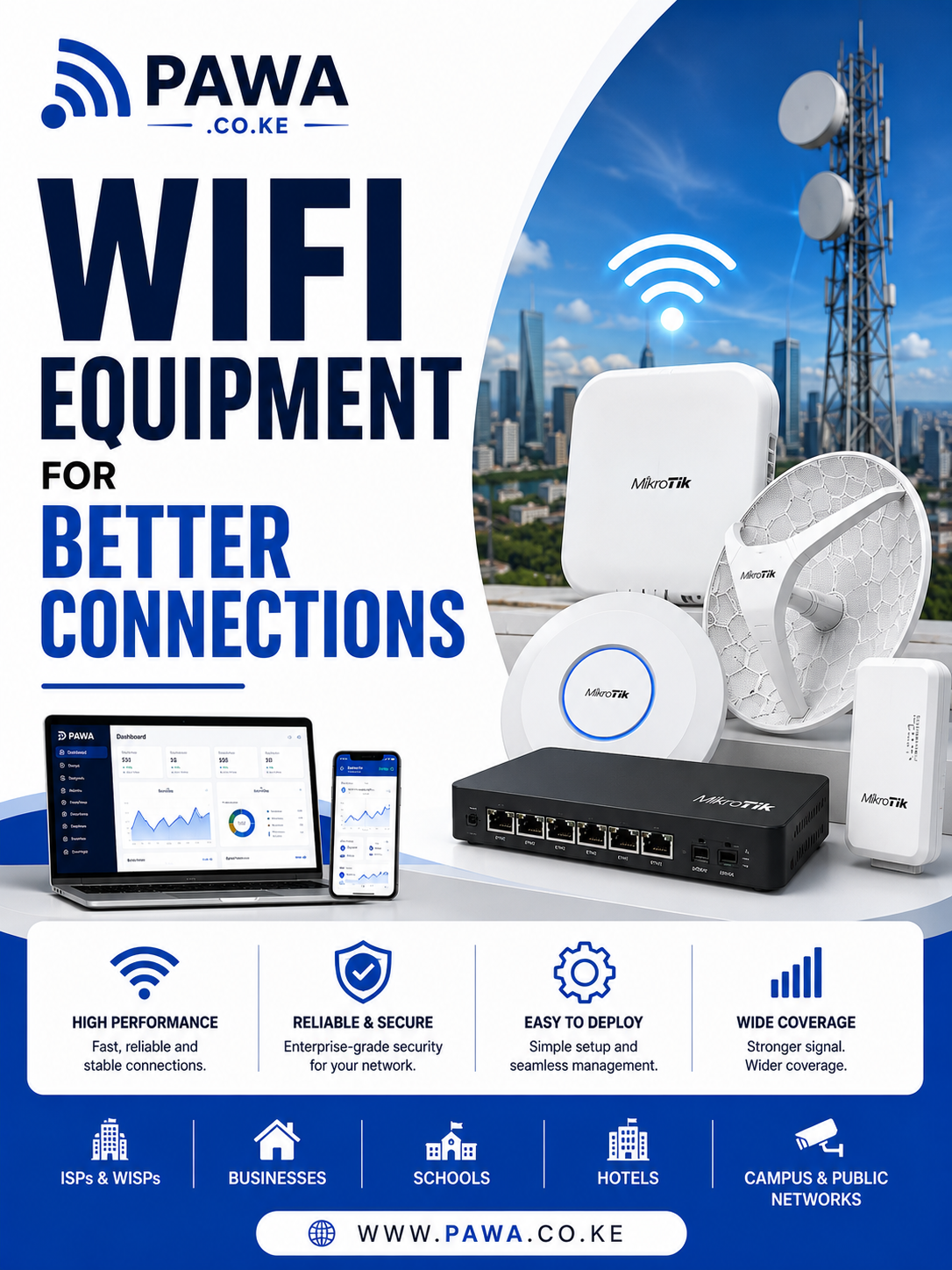
WiFi business management software is becoming increasingly important for businesses that provide internet services to customers, tenants, guests, students, employees, and other users. Managing a growing WiFi network manually can quickly become complicated, especially when the business has to handle customer registration, internet packages, payments, bandwidth allocation, technical support, and network equipment at the same time.
A professional WiFi management system brings these operations together in one centralized platform. Instead of relying on spreadsheets, manual payment confirmations, and individual router configurations, businesses can automate many daily processes and gain better visibility over their entire network.
For Internet Service Providers (ISPs), Wireless Internet Service Providers (WISPs), apartment WiFi operators, hotels, hostels, schools, offices, cafés, and managed WiFi providers, the right WiFi business management software can improve operational efficiency, simplify billing, enhance customer service, and create a more scalable business model.
What Is WiFi Business Management Software?
WiFi business management software is a centralized platform designed to help businesses manage internet subscribers, network access, billing, payments, bandwidth, authentication, and customer support.
A small WiFi operation may initially manage customers manually. The administrator might record subscribers in a spreadsheet, configure routers manually, check M-Pesa payments one by one, and contact customers through phone calls or messaging applications.
However, these processes become difficult to maintain as the customer base grows.
A professional management platform can automate many of these activities.
Depending on the solution, administrators can manage:
- Customer registration
- Internet subscriptions
- WiFi packages
- PPPoE accounts
- Hotspot users
- Bandwidth profiles
- Billing
- M-Pesa payments
- Customer notifications
- Account suspension
- Account activation
- Network equipment
- Technical support
- Business reports
The result is a centralized environment where the business can manage both its customers and network infrastructure.
Why WiFi Businesses Need Management Software
Running a WiFi business involves more than providing an internet connection.
A provider needs to ensure that customers can connect, payments are collected, bandwidth is distributed fairly, technical problems are addressed, and network equipment remains operational.
When these activities are handled manually, several problems can develop.
Manual Customer Management
Keeping customer information in spreadsheets can make it difficult to determine which customers are active, which subscriptions have expired, and which accounts have outstanding payments.
With WiFi business management software, customer information can be stored in centralized profiles.
An administrator can quickly search for a customer and view information such as:
- Customer name
- Phone number
- Location
- Internet package
- Account status
- Payment history
- Subscription date
- Expiry date
- Username
- Support history
This saves time and improves customer service.
Managing Growing Subscriber Numbers
A WiFi business may begin with a few customers but gradually expand to hundreds or thousands of subscribers.
As subscriber numbers increase, manual management becomes increasingly difficult.
For example, an administrator managing 20 customers may be able to track payments manually.
Managing 500 customers using the same approach is much more challenging.
A centralized platform provides automation that allows the business to handle more subscribers without increasing administrative workload at the same rate.
How WiFi Business Management Software Works
A typical WiFi business consists of several interconnected components.
These may include:
Internet Connection → Router → Switch → Access Points → Customers
The management platform connects the customer and business side with the network infrastructure.
For example, when a new customer subscribes, the process can work as follows:
- The customer is registered.
- The customer selects an internet package.
- Payment is made.
- The account is activated.
- Authentication credentials are created.
- A bandwidth profile is assigned.
- The customer connects to the network.
When the subscription expires, the system can automatically restrict access.
Once payment is received, access can be restored.
This reduces the amount of manual configuration required from network administrators.
Customer Management
Customer management is one of the most important components of a modern WiFi business.
Every subscriber should have a centralized profile containing relevant information.
A customer profile can include:
- Full name
- Phone number
- Email address
- Physical location
- Apartment number
- Room number
- Account number
- Internet package
- Username
- Account status
- Payment history
- Installation details
- Support requests
Having this information in one place makes it easier to provide customer support.
Active and Inactive Customers
The system can categorize customers based on account status.
Administrators can identify:
- Active subscribers
- Expired subscribers
- Suspended accounts
- New customers
- Customers awaiting activation
- Customers with outstanding balances
This gives management a clearer picture of the customer base.
Internet Package Management
Different customers have different internet requirements.
A WiFi provider may offer several packages based on speed, usage, duration, or price.
For example:
| Package | Speed | Billing Period |
|---|---|---|
| Basic | 10 Mbps | Monthly |
| Standard | 20 Mbps | Monthly |
| Premium | 50 Mbps | Monthly |
| Business | 100 Mbps | Monthly |
These packages can be created within the management platform.
When a customer selects a package, the appropriate service profile can be assigned automatically.
Flexible WiFi Packages
A provider can create packages for different customer groups.
For example:
Residential Packages
Designed for homes and apartments.
Business Packages
Designed for offices and businesses that require higher speeds and more consistent service.
Guest Packages
Designed for hotels, cafés, events, and temporary users.
Prepaid Packages
Customers pay before receiving access for a defined period.
Long-Term Packages
Customers can purchase several months of service at once.
This flexibility allows a WiFi business to serve different markets using the same management platform.
WiFi Billing Management
Billing is one of the biggest challenges for growing WiFi businesses.
Manual billing requires staff to:
- Create invoices
- Contact customers
- Check payment records
- Update account balances
- Activate accounts
- Suspend expired accounts
This process becomes difficult when subscriber numbers increase.
WiFi business management software automates many of these tasks.
The system can automatically generate invoices based on:
- Customer package
- Subscription period
- Pricing
- Billing cycle
- Additional services
Automated Invoice Generation
Instead of preparing invoices manually, the system can generate them automatically.
An invoice may include:
- Customer name
- Account number
- Package
- Subscription period
- Amount due
- Due date
- Payment instructions
Customers can then receive notifications about their invoices and payment deadlines.
Payment Tracking
A centralized payment system provides a clear view of financial activity.
Administrators can see:
- Payments received
- Pending payments
- Outstanding balances
- Expired subscriptions
- Payment dates
- Customer payment history
This makes financial reconciliation easier.
M-Pesa Integration
For WiFi businesses operating in Kenya, M-Pesa is an important payment channel.
Integrating M-Pesa with WiFi business management software allows customers to pay for their subscriptions conveniently.
A typical process can look like:
Customer selects package → Payment request → Customer pays through M-Pesa → Payment confirmation → Account updated → Internet activated
This reduces the need for customers to send screenshots or manually inform administrators that they have paid.
Automatic Account Activation
Payment automation can also improve customer onboarding.
Once payment is confirmed, the system can automatically activate the customer’s account.
This means customers can potentially receive internet access without waiting for an administrator to manually verify and activate the account.
Faster activation improves the customer experience and reduces support requests.
Automatic Suspension
Subscription management can also work in the opposite direction.
When an account reaches its expiry date and payment has not been received, the system can automatically change its status.
Depending on the configuration, it can:
- Suspend access
- Reduce bandwidth
- Redirect the customer to a payment page
- Send an expiry notification
After payment is received, normal service can be restored.
Subscriber Authentication
Authentication determines whether a customer is allowed to access the network.
A professional WiFi business management software platform can support different authentication technologies depending on the network architecture.
Common options include:
- PPPoE
- Hotspot
- RADIUS
- Voucher authentication
These technologies allow providers to identify users and apply the correct service profile.
PPPoE Management
PPPoE is commonly used by ISPs and WISPs to authenticate subscribers.
Each customer can receive unique credentials.
For example:
Username: customer001
Password: ********
Package: Standard 20 Mbps
The customer’s account can be connected to their billing profile.
If the account expires, access can be suspended automatically.
If the customer upgrades their package, the appropriate bandwidth profile can be applied.
This creates a structured subscriber management system.
Hotspot Management
Hotspot management is useful for businesses that provide shared or temporary WiFi access.
It can be used in:
- Hotels
- Restaurants
- Cafés
- Events
- Schools
- Shopping centers
- Public WiFi locations
- Guest networks
A customer may connect to the WiFi network and be redirected to a captive portal where they authenticate before receiving internet access.
WiFi Voucher Management
Vouchers can provide temporary internet access without requiring a permanent customer account.
A business can generate vouchers with different:
- Validity periods
- Speeds
- Usage limits
- Prices
For example, a hotel could offer a guest WiFi voucher valid for 24 hours.
An event organizer could provide temporary access for attendees.
This makes voucher management a useful feature for certain WiFi business models.
Bandwidth Management
Bandwidth management is essential when multiple customers share the same internet connection.
Without proper bandwidth controls, a few heavy users can consume a large portion of the available capacity.
This may result in slow internet for other subscribers.
A professional WiFi business management software platform can assign bandwidth profiles to individual customers or packages.
For example:
| Package | Download | Upload |
|---|---|---|
| Basic | 10 Mbps | 5 Mbps |
| Standard | 25 Mbps | 10 Mbps |
| Premium | 50 Mbps | 20 Mbps |
| Business | 100 Mbps | 50 Mbps |
The actual package structure should be based on the provider’s available bandwidth and business model.
Fair Bandwidth Distribution
Bandwidth management helps maintain a consistent experience for customers.
Administrators can configure:
- Download limits
- Upload limits
- Speed profiles
- Fair usage policies
- Priority rules
- Peak-hour policies
This prevents individual users from negatively affecting the performance experienced by everyone else.
MikroTik Integration
MikroTik routers are widely used by ISPs, WISPs, apartment WiFi operators, and other managed network providers.
A WiFi business management software platform can integrate with MikroTik RouterOS to automate network operations.
Depending on the platform, administrators can manage:
- PPPoE users
- Hotspot users
- Bandwidth profiles
- Active sessions
- Queues
- Router status
- Interfaces
- Network traffic
- User activation
- User suspension
This eliminates the need to manually configure every customer directly on the router.
Why MikroTik Integration Matters
Without integration, a business may need to manage customers in one system and network configurations in another.
This creates duplicated work.
With proper integration:
Customer subscription → Payment confirmation → Account activation → MikroTik configuration → Internet access
The process becomes much more efficient.
Network Monitoring
Managing customers is only one side of a WiFi business.
The provider must also monitor network infrastructure.
A management platform can provide visibility into:
- Router status
- Access point status
- Active subscribers
- Bandwidth utilization
- Network traffic
- CPU usage
- Memory usage
- Interface performance
- Uptime
This helps administrators identify problems quickly.
Detecting Network Problems
Network monitoring can help identify:
- Offline routers
- Failed access points
- High bandwidth utilization
- Network congestion
- Authentication problems
- Unusual traffic
- Hardware issues
Instead of waiting for customers to report a problem, technicians can receive alerts and investigate issues proactively.
Customer Self-Service Portal
A self-service portal can improve customer convenience while reducing pressure on support teams.
Customers can potentially use the portal to:
- View account information
- Check payment status
- Download invoices
- Renew subscriptions
- Upgrade packages
- Change passwords
- Submit support tickets
- Check service status
This allows customers to resolve many routine issues without contacting an administrator.
Why Self-Service Matters
Without self-service, customers may contact support for simple questions such as:
“Has my payment been received?”
“When does my package expire?”
“How much do I owe?”
“Which package am I using?”
A customer portal can provide these answers instantly.
Benefits of WiFi Business Management Software
A properly implemented WiFi business management software platform can provide several important advantages.
Reduced Administrative Work
Automation reduces repetitive tasks such as billing, account activation, payment verification, and account suspension.
Better Payment Collection
Automated reminders and payment integration can help businesses collect subscriptions more efficiently.
Improved Customer Experience
Customers can receive faster activation, convenient payment options, and self-service access.
Better Network Control
Administrators can control bandwidth and subscriber access from a centralized system.
Increased Visibility
Management can view customer, payment, and network information from one platform.
Easier Business Growth
Automation allows businesses to support increasing subscriber numbers without relying entirely on manual processes.
As a WiFi business grows, managing customers and billing alone is no longer enough. A provider may have multiple routers, access points, technicians, service locations, internet packages, payment channels, and hundreds or thousands of subscribers. Without centralized management, these operations can become difficult to control.
WiFi business management software provides advanced tools that allow providers to manage network infrastructure, customer service, security, technicians, inventory, reporting, and multiple locations from a centralized platform.
Part 2 explores the advanced capabilities that can help a WiFi business improve efficiency, maintain network performance, and prepare for future growth.
Advanced Network Management
A growing WiFi business needs visibility across its entire infrastructure.
Instead of logging into individual routers and access points, administrators can use centralized management to monitor important network information from one dashboard.
Depending on the platform, administrators can monitor:
- Routers
- Wireless access points
- Network switches
- Active subscribers
- PPPoE sessions
- Hotspot users
- Bandwidth consumption
- Network interfaces
- Device uptime
- CPU utilization
- Memory utilization
- Connection status
This centralized approach makes network administration more efficient.
Multi-Router Management
A small WiFi provider may start with one router, but larger networks can require multiple routers.
For example, an operator may have different routers for:
- Different apartment buildings
- Residential estates
- Business premises
- Branch offices
- Hotels
- Geographic locations
Managing each router separately can become time-consuming.
A centralized WiFi business management software platform can provide a unified view of multiple routers.
Administrators can identify which routers are online, which are experiencing high resource usage, and which may require technical attention.
Multi-Location Management
Some WiFi businesses operate in several locations.
A single company could provide internet services across:
- Apartment complexes
- Student hostels
- Hotels
- Shopping centers
- Offices
- Residential estates
Multi-location management allows administrators to organize customers, equipment, packages, and revenue according to each location.
This makes it easier to understand how every branch or property is performing.
Centralized Administration
Instead of maintaining separate systems for each property, management can access information from a central dashboard.
This can reduce duplication and make it easier to standardize:
- Customer packages
- Pricing
- Billing procedures
- Network policies
- Support processes
- Reporting
Network Monitoring and Alerts
Network monitoring is essential for maintaining reliable service.
A professional platform can continuously monitor network infrastructure and alert administrators when problems occur.
Possible alerts include:
- Router offline
- Access point unavailable
- High bandwidth utilization
- High CPU usage
- High memory usage
- Interface failure
- Authentication issues
- Internet connection problems
Early alerts allow technicians to investigate problems before they affect a large number of customers.
Real-Time Subscriber Monitoring
A centralized dashboard can also show active customer sessions.
Administrators can see:
- Which customers are online
- Which router they are connected to
- Session duration
- Assigned IP address
- Bandwidth usage
- Authentication status
This information can be valuable when troubleshooting customer complaints.
For example, if a customer reports that their internet is unavailable, support staff can quickly check whether the account is active and whether the customer has an active network session.
Advanced Bandwidth Management
Bandwidth management becomes increasingly important as the number of subscribers grows.
A provider may purchase a large internet connection, but that bandwidth still needs to be distributed efficiently.
WiFi business management software can allow administrators to create bandwidth profiles for different packages.
For example:
- Basic package
- Standard package
- Premium package
- Business package
Each profile can have specific upload and download limits.
Bandwidth Upgrade Management
Customers may want to upgrade their subscriptions.
Without automation, a technician may have to manually change the customer’s bandwidth configuration.
With an integrated management system, the process can be automated.
For example:
Customer upgrades package → Payment confirmed → New package activated → Bandwidth profile updated
This allows the customer to begin using the new service more quickly.
Fair Usage Policies
Some WiFi businesses use fair usage policies to prevent excessive consumption.
A management platform can help administrators establish policies based on:
- Data usage
- Time of day
- Subscription package
- Network congestion
- Customer category
The goal is to maintain a stable experience across the entire customer base.
WiFi Network Security
Security is one of the most important considerations when managing a large WiFi network.
The network may contain hundreds or thousands of connected devices.
These devices can include:
- Smartphones
- Laptops
- Smart TVs
- Cameras
- Printers
- Gaming consoles
- IoT devices
A security problem affecting one device should not unnecessarily expose the entire network.
VLAN Segmentation
VLANs can be used to separate different types of network traffic.
For example, a managed property could use separate VLANs for:
- Customers
- Staff
- Guest WiFi
- CCTV
- Management
- IoT devices
- Network administration
This segmentation can improve security and make network management easier.
Client Isolation
Client isolation can prevent users on the same wireless network from communicating directly with one another when such communication is not required.
This can be particularly useful for:
- Public WiFi
- Hotel WiFi
- Apartment WiFi
- Café networks
- Guest networks
It provides an additional layer of separation between users.
Secure Administrative Access
Administrators should also protect access to the management platform.
Recommended controls can include:
- Strong passwords
- Role-based permissions
- Two-factor authentication
- Secure connections
- Activity logging
- Regular password updates
Different employees should only receive the permissions required for their responsibilities.
For example, an accountant may need access to financial reports but not router configuration settings.
Customer Support Management
Customer support becomes increasingly important as a WiFi business grows.
Customers may contact the provider about:
- Slow internet
- No connection
- Payment problems
- Package upgrades
- Password issues
- Network outages
- Installation requests
A support ticket system organizes these requests.
Each ticket can contain:
- Customer details
- Problem description
- Location
- Priority
- Assigned technician
- Status
- Resolution
- Date opened
- Date resolved
This ensures that customer problems are not forgotten.
Technician Management
WiFi businesses often rely on field technicians for installations and repairs.
WiFi business management software can help managers assign and monitor technician tasks.
Common jobs include:
- New installations
- Router configuration
- Access point installation
- Cable replacement
- Fiber repairs
- Customer troubleshooting
- Equipment replacement
- Preventive maintenance
A manager can assign a job to a technician and monitor its progress.
Installation Management
New customer installations can follow a structured workflow.
For example:
New Request → Customer Approved → Technician Assigned → Installation Scheduled → Installation Completed → Service Activated
This makes it easier for management to monitor outstanding installations.
Inventory Management
WiFi businesses need to maintain equipment for both installations and repairs.
Inventory management can help track:
- Routers
- Access points
- Network switches
- Wireless radios
- Fiber equipment
- Ethernet cables
- Power supplies
- Mounting equipment
- Customer routers
Equipment can be associated with specific customers, branches, technicians, or storage locations.
Why Inventory Management Matters
Without proper inventory records, equipment can be difficult to track.
A business may not know:
- Which technician has a router
- Which customer received a specific access point
- How many devices remain in stock
- Which equipment needs replacement
- Which devices are currently deployed
Centralized inventory management improves accountability.
Financial Reporting
A WiFi business needs accurate financial information to make informed decisions.
A management platform can provide reports on:
- Total revenue
- Monthly revenue
- Daily collections
- Outstanding balances
- Customer payments
- Package performance
- Branch revenue
- Subscription renewals
- Expired accounts
These reports provide business owners with a clearer understanding of financial performance.
Customer Growth Reports
Customer reports can show how the subscriber base is changing.
Useful metrics include:
- New subscribers
- Active subscribers
- Suspended subscribers
- Cancelled subscriptions
- Renewals
- Customer retention
- Customer growth rate
This helps management identify whether the business is growing or losing customers.
Package Performance
Not every internet package will perform equally.
A business may discover that most customers prefer one particular package.
For example:
| Package | Customers | Monthly Revenue |
|---|---|---|
| Basic | 150 | KSh 150,000 |
| Standard | 300 | KSh 450,000 |
| Premium | 120 | KSh 300,000 |
| Business | 30 | KSh 150,000 |
Analyzing package performance can help businesses make better pricing and marketing decisions.
Payment Reports
Payment reporting helps businesses track collections.
Administrators can identify:
- Paid accounts
- Unpaid accounts
- Overdue accounts
- Payment dates
- Payment methods
- Customer payment history
This can make financial reconciliation significantly easier.
SMS and Email Notifications
Communication is another important component of customer management.
A WiFi platform can integrate with SMS or email services to send automated notifications.
Possible notifications include:
- Welcome messages
- Payment confirmations
- Invoice reminders
- Subscription expiry notices
- Service suspension notices
- Service restoration notices
- Network outage notifications
- Promotional messages
Automated communication improves consistency and reduces manual follow-up.
Customer Relationship Management
Customer information can be used to improve the overall relationship between the business and its subscribers.
A centralized system provides a history of:
- Subscriptions
- Payments
- Support tickets
- Package changes
- Installations
- Account activity
This allows support staff to understand a customer’s history before responding to an issue.
Customer Retention
Customer retention is important for any subscription-based WiFi business.
Losing customers repeatedly means the provider has to spend additional resources acquiring new subscribers.
A management platform can help identify:
- Customers who frequently experience problems
- Customers with overdue accounts
- Customers whose subscriptions are about to expire
- Customers who have downgraded packages
The business can then take appropriate action to improve retention.
Self-Service Customer Portal
A customer portal can reduce pressure on support teams.
Customers can access their accounts to:
- View invoices
- Make payments
- Renew subscriptions
- Upgrade packages
- View account information
- Change passwords
- Submit support tickets
This creates a more convenient experience.
Mobile-Friendly Management
WiFi business owners and technicians may not always be sitting in an office.
A mobile-friendly management platform allows authorized staff to access important information from different devices.
For example, a manager may need to:
- Check payment collections
- View active subscribers
- Check a router’s status
- Assign a technician
- Review a support ticket
Mobile access makes the operation more flexible.
Cloud-Based WiFi Management
Cloud-based platforms can make management accessible from different locations.
Instead of restricting administrators to a specific office computer, authorized users can access the management platform remotely.
This can be particularly useful for businesses managing multiple properties.
However, cloud deployments should be implemented with appropriate security controls to protect customer and network information.
Backup and Disaster Recovery
Network and business data should be backed up regularly.
Important information can include:
- Customer records
- Payment records
- Router configurations
- Billing information
- Support tickets
- Inventory records
Backups help businesses recover after:
- Hardware failure
- Accidental deletion
- Configuration mistakes
- Cybersecurity incidents
- Server problems
A good backup strategy should include regular automated backups and appropriate access controls.
Scalability
A major consideration when choosing WiFi business management software is scalability.
A platform should be capable of supporting the business as it grows.
For example, a provider may move from:
50 customers → 200 customers → 1,000 customers → 5,000 customers
The management platform should be able to accommodate increasing numbers of:
- Subscribers
- Routers
- Access points
- Locations
- Transactions
- Support requests
Choosing a scalable platform from the beginning can reduce the need for expensive migrations later.
Multi-Branch WiFi Business Management
Businesses operating in different locations can use centralized management to control their operations.
Each branch can have its own:
- Customers
- Routers
- Packages
- Technicians
- Revenue reports
- Inventory
Management can still access everything from one centralized system.
This is especially useful for WiFi providers expanding into different neighborhoods or cities.
API Integrations
Modern WiFi businesses may need to connect their management platform with other systems.
APIs can facilitate integrations with:
- Payment systems
- SMS providers
- Accounting software
- CRM platforms
- Network monitoring tools
- Customer portals
- Mobile applications
This creates a more connected technology environment.
Choosing the Right WiFi Business Management Software
Before purchasing or implementing a platform, businesses should evaluate their specific requirements.
Important features include:
Customer Management
The platform should make it easy to register and manage subscribers.
Automated Billing
Look for recurring billing, invoices, payment tracking, and reminders.
Payment Integration
Businesses operating in Kenya should consider convenient mobile payment options.
Operators comparing payment workflows can also review Tajira WiFi billing software, which brings package sales, M-Pesa receipts and MikroTik access management into one platform.
MikroTik Integration
If MikroTik routers are used, the platform should support the required RouterOS functionality.
PPPoE and Hotspot
Choose authentication options that match the network architecture.
Bandwidth Management
The system should support flexible speed profiles.
Network Monitoring
Real-time visibility can help identify technical issues.
Reporting
Financial and network reports support better decision-making.
Security
Look for user permissions, authentication controls, activity logs, and secure connections.
Scalability
The platform should support future subscriber and location growth.
As a WiFi business expands, having reliable network equipment is only one part of building a successful operation. The business also needs an organized system for managing customers, subscriptions, payments, bandwidth, support, network infrastructure, and business performance.
WiFi business management software brings these functions together, allowing businesses to automate routine operations and create a more efficient service delivery process.
Part 3 focuses on implementation, business benefits, best practices, common challenges, future trends, frequently asked questions, and the final conclusion.
How to Implement WiFi Business Management Software
Implementing a management platform should be approached systematically. The objective is not simply to install software but to connect the software with the business’s existing network and operational processes.
Step 1: Assess the Existing WiFi Infrastructure
Before implementing the system, evaluate the current network.
Consider:
- Number of routers
- Number of access points
- Internet bandwidth
- Number of subscribers
- Network topology
- Authentication method
- Existing billing system
- Payment methods
- Number of locations
- Current technical challenges
This assessment helps determine which features are required.
Step 2: Define Customer Packages
Create clear service packages before configuring the management platform.
Packages can be based on:
- Speed
- Duration
- Price
- Data allowance
- Customer category
- Usage requirements
For example, residential customers can have different packages from business customers.
Step 3: Configure Network Equipment
Routers and other network devices should be configured to work with the management platform.
For businesses using MikroTik, the integration can allow the software to communicate with RouterOS and manage subscriber services.
The configuration may include:
- PPPoE
- Hotspot
- Queues
- IP addresses
- VLANs
- Firewall rules
- User profiles
Step 4: Import Existing Customers
If the business already has subscribers, customer information can be migrated into the new platform.
Important information may include:
- Customer names
- Phone numbers
- Usernames
- Packages
- Account balances
- Expiry dates
- Payment history
Accurate migration is important because incorrect customer information can lead to billing or service problems.
Step 5: Configure Billing
The business can configure:
- Package prices
- Billing cycles
- Invoice generation
- Due dates
- Grace periods
- Suspension rules
- Renewal rules
Automation can then handle many recurring billing activities.
Step 6: Integrate Payments
Payment channels should be connected to the platform.
For businesses in Kenya, M-Pesa can provide a convenient way for customers to pay their subscriptions.
Once payment integration is configured, successful payments can automatically update customer accounts.
Step 7: Configure Notifications
Set up automated notifications for important events.
These can include:
- New account registration
- Payment confirmation
- Invoice generation
- Subscription expiry
- Account suspension
- Account restoration
- Network maintenance
This keeps customers informed without requiring staff to contact every subscriber manually.
Step 8: Test the System
Before launching the system across the entire network, test the important workflows.
Test:
- Customer registration
- Package selection
- Payment processing
- Account activation
- Authentication
- Bandwidth assignment
- Account expiry
- Automatic suspension
- Service restoration
- Notifications
- Router communication
Testing helps identify configuration problems before they affect customers.
Business Benefits of WiFi Business Management Software
A well-implemented WiFi business management software platform can provide substantial benefits.
1. Reduced Administrative Work
One of the biggest benefits is automation.
Tasks such as:
- Invoice generation
- Payment recording
- Account activation
- Account suspension
- Customer notifications
- Bandwidth assignment
can be automated.
This allows employees to focus on more important activities.
2. Improved Payment Collection
Payment collection is critical for subscription-based businesses.
Automated billing and payment integration can help businesses:
- Reduce missed payments
- Identify overdue accounts
- Send payment reminders
- Confirm payments faster
- Restore services automatically
This creates a more organized revenue collection process.
3. Better Customer Experience
Customers expect internet services to be convenient.
A professional system can provide:
- Fast account activation
- Easy payments
- Online account access
- Automatic service restoration
- Clear billing information
- Faster support
A better customer experience can contribute to customer retention.
4. Better Network Control
A centralized platform provides administrators with greater control over network resources.
Administrators can manage:
- User access
- Bandwidth
- Authentication
- Network devices
- Service packages
- Active sessions
This reduces the need to configure customers individually.
5. Improved Business Visibility
Business owners can access important operational data from one platform.
Reports can show:
- Customer growth
- Revenue
- Payments
- Outstanding balances
- Package popularity
- Bandwidth usage
- Network performance
- Support activity
This information supports better decision-making.
6. Easier Business Expansion
Automation makes it easier to increase the number of subscribers without increasing administrative work at the same rate.
A provider can expand from one location to multiple locations while maintaining centralized management.
WiFi Business Management for Apartment Buildings
Apartment WiFi providers can use management software to provide internet services to tenants.
The system can manage:
- Tenant accounts
- Apartment numbers
- Internet packages
- Subscription periods
- Payments
- Bandwidth
- Account status
- Support requests
This can make internet management an additional service offered by property owners or managed WiFi operators.
WiFi Management for Hotels
Hotels can use managed WiFi to provide controlled internet access to guests.
Possible features include:
- Guest authentication
- Temporary access
- WiFi vouchers
- Bandwidth limits
- Guest portals
- Usage monitoring
A hotel can create different access policies for guests, staff, and management.
WiFi Management for Student Hostels
Student accommodation facilities often have many users sharing the same network.
A management platform can help control:
- Student accounts
- Bandwidth
- Subscription payments
- Access periods
- Network usage
This can prevent a small number of users from consuming excessive bandwidth.
WiFi Management for ISPs and WISPs
ISPs and WISPs can use centralized software to manage large subscriber bases.
The system can help with:
- Subscriber registration
- PPPoE authentication
- Bandwidth provisioning
- Billing
- Payment processing
- MikroTik integration
- Network monitoring
- Customer support
This allows providers to operate more efficiently as their customer base grows.
Common Mistakes to Avoid
Businesses should avoid several common mistakes when implementing WiFi management systems.
Choosing Software Without Checking Network Compatibility
A platform should support the routers, authentication methods, and network architecture already being used.
Ignoring Scalability
A solution that works for a small network may not be suitable for thousands of subscribers.
Businesses should consider future growth before making a decision.
Failing to Automate Payments
Manual payment verification can create unnecessary work and delays.
Payment automation should be considered where appropriate.
Poor Network Design
Even the best management software cannot fix a poorly designed physical network.
Proper access point placement, cabling, bandwidth planning, and network architecture remain important.
Ignoring Security
Customer and network data should be protected using appropriate security measures.
Not Backing Up Data
Customer information, billing records, and network configurations should be backed up regularly.
Best Practices for WiFi Business Management
Monitor the Network Regularly
Check router, switch, and access point performance regularly.
Review Bandwidth Usage
Identify periods of high demand and plan capacity accordingly.
Keep Customer Information Updated
Accurate customer records improve billing and support.
Automate Routine Processes
Automate billing, notifications, account activation, and suspension where possible.
Maintain Network Security
Use secure passwords, role-based permissions, VLANs, firewalls, and appropriate authentication.
Review Reports
Business and network reports can identify opportunities for improvement.
Train Employees
Staff should understand how to use the management platform correctly.
Maintain Network Equipment
Regular maintenance can help prevent unexpected failures.
Measuring the Success of a WiFi Business
Businesses should track key performance indicators to determine whether the network and management system are delivering results.
Important metrics include:
Subscriber Growth
How quickly is the customer base increasing?
Customer Retention
How many customers continue renewing their subscriptions?
Payment Collection Rate
How much of the expected revenue is being collected?
Network Uptime
How consistently is the service available?
Support Response Time
How quickly are customer complaints addressed?
Average Revenue Per Customer
How much revenue does each subscriber generate?
Bandwidth Utilization
How much of the available internet capacity is being consumed?
Tracking these metrics provides a clearer picture of business performance.
Future Trends in WiFi Business Management
The WiFi industry continues to evolve as businesses and consumers become increasingly dependent on reliable connectivity.
Future management platforms are likely to provide more automation and intelligent monitoring.
AI-Assisted Network Monitoring
Artificial intelligence can potentially help identify unusual traffic patterns and network problems.
Instead of simply reporting that a router is offline, future systems may help identify likely causes and recommend corrective actions.
Predictive Maintenance
Network analytics can help identify devices that may be approaching failure.
This could allow technicians to replace equipment before it causes significant downtime.
Advanced Customer Analytics
Businesses can use customer data to understand:
- Package preferences
- Usage patterns
- Renewal behavior
- Peak usage times
- Customer retention
This information can support better service design.
Cloud-Based Management
Cloud-based management allows businesses to monitor networks from different locations.
This is particularly valuable for operators managing multiple properties.
Mobile Management
Mobile applications can allow administrators and technicians to manage important operations while working in the field.
Automated Customer Support
Future platforms may provide more intelligent support tools that can automatically answer common questions and assist customers with basic troubleshooting.
Frequently Asked Questions About WiFi Business Management Software
What is WiFi business management software?
It is software designed to manage the business and technical aspects of providing WiFi services, including customers, billing, payments, authentication, bandwidth, network devices, and support.
Can WiFi business management software manage MikroTik routers?
Yes. ISP-focused platforms can integrate with MikroTik RouterOS to manage services such as PPPoE, Hotspot, bandwidth profiles, active sessions, and user access.
Can I use it for an apartment WiFi business?
Yes. Apartment WiFi operators can use it to manage tenants, subscriptions, bandwidth, billing, payments, and network access.
Can it automate M-Pesa payments?
A platform with appropriate payment integration can automate payment confirmation and connect successful transactions to customer accounts.
Can it suspend customers automatically?
Yes. Subscription and billing rules can be configured to restrict expired accounts automatically.
Can customers pay for different WiFi packages?
Yes. Businesses can create multiple packages with different speeds, prices, and subscription periods.
Can the software manage multiple routers?
Yes. Depending on the platform, multiple routers can be managed from a centralized dashboard.
Can it manage multiple branches?
A scalable platform can organize customers, devices, and operations across multiple locations.
Does it support PPPoE?
Many ISP-oriented WiFi management platforms support PPPoE authentication.
Does it support Hotspot?
Yes. Hotspot management can be used for hotels, cafés, events, schools, public WiFi, and guest networks.
Can customers manage their own accounts?
If the platform includes a customer portal, subscribers can view their accounts, make payments, renew services, and submit support requests.
Why Businesses Should Move Away From Manual WiFi Management
Manual processes may appear manageable when a WiFi business is small.
However, as customer numbers increase, the limitations become more obvious.
Manually tracking hundreds of customers can result in:
- Missed payments
- Incorrect account statuses
- Delayed service activation
- Billing errors
- Slow customer support
- Incorrect bandwidth assignments
- Poor visibility
Automation provides a more structured approach.
Instead of employees repeatedly performing the same tasks, the management platform can handle many processes automatically.
Building a Scalable WiFi Business
A successful WiFi business should be designed with growth in mind.
The business should consider:
- Network capacity
- Equipment scalability
- Customer management
- Payment processing
- Billing automation
- Technical support
- Security
- Reporting
- Multi-location operations
Choosing the right WiFi business management software can provide the foundation required to support this growth.
Conclusion
WiFi business management software provides businesses with a centralized solution for managing customers, subscriptions, billing, payments, bandwidth, authentication, network infrastructure, technical support, and business reporting.
For ISPs and WISPs, it can simplify subscriber management, PPPoE authentication, MikroTik integration, bandwidth control, billing, and payment collection. For apartment buildings, hostels, hotels, schools, offices, cafés, and other managed WiFi environments, it provides an organized way to control internet access and deliver better service to users.
One of the biggest advantages of using WiFi business management software is automation. Instead of manually checking payments, creating accounts, configuring bandwidth, suspending expired users, and sending reminders, many of these processes can be handled automatically. This saves time, reduces human error, and allows businesses to focus on growth and customer satisfaction.
Payment integration is another important component, particularly for businesses in Kenya. By connecting the management platform with convenient payment channels such as M-Pesa, providers can simplify subscription renewals and reduce the administrative burden associated with payment verification.
Network management is equally important. Integration with MikroTik routers, PPPoE, Hotspot authentication, bandwidth control, monitoring, and automated alerts allows administrators to maintain greater visibility over their infrastructure. This becomes increasingly valuable as the number of subscribers and network locations grows.
Security should also remain a priority. Proper authentication, VLAN segmentation, client isolation, administrator permissions, secure connections, backups, and regular maintenance can help protect both customer information and network infrastructure.
For businesses planning to expand, scalability should be a major consideration. The right system should support increasing numbers of customers, routers, access points, transactions, technicians, and locations without creating unnecessary administrative complexity.
The future of WiFi management is moving toward greater automation, intelligent analytics, cloud-based administration, predictive network monitoring, and improved customer self-service. Businesses that adopt structured management systems can position themselves to take advantage of these developments while providing a more reliable and professional internet service.
Ultimately, WiFi business management software is not simply a tool for controlling WiFi access. It is a business management platform that connects network operations with customer service, billing, payments, and business intelligence. By bringing these functions together, WiFi providers can reduce operational costs, improve service delivery, increase payment efficiency, and create a scalable foundation for long-term growth.
For any business providing internet connectivity to multiple users, investing in the right management solution can be an important step toward building a more efficient, secure, and profitable WiFi operation.
- WiFi business management software
- WiFi business management software
- WiFi business management software
- WiFi business management software
- WiFi business management software
- WiFi business management software
- WiFi business management software
- WiFi business management software
- WiFi business management software
- WiFi business management software
- WiFi business management software
- WiFi business management software
- WiFi business management software
- WiFi business management software
- WiFi business management software
- WiFi business management software
- WiFi business management software
- WiFi business management software
- WiFi business management software
- WiFi business management software
- WiFi business management software
- WiFi business management software
- WiFi business management software
- WiFi business management software
- WiFi business management software
- WiFi business management software
- WiFi business management software
- WiFi business management software
- WiFi business management software
- WiFi business management software
- WiFi business management software
- WiFi business management software
- WiFi business management software
- WiFi business management software