
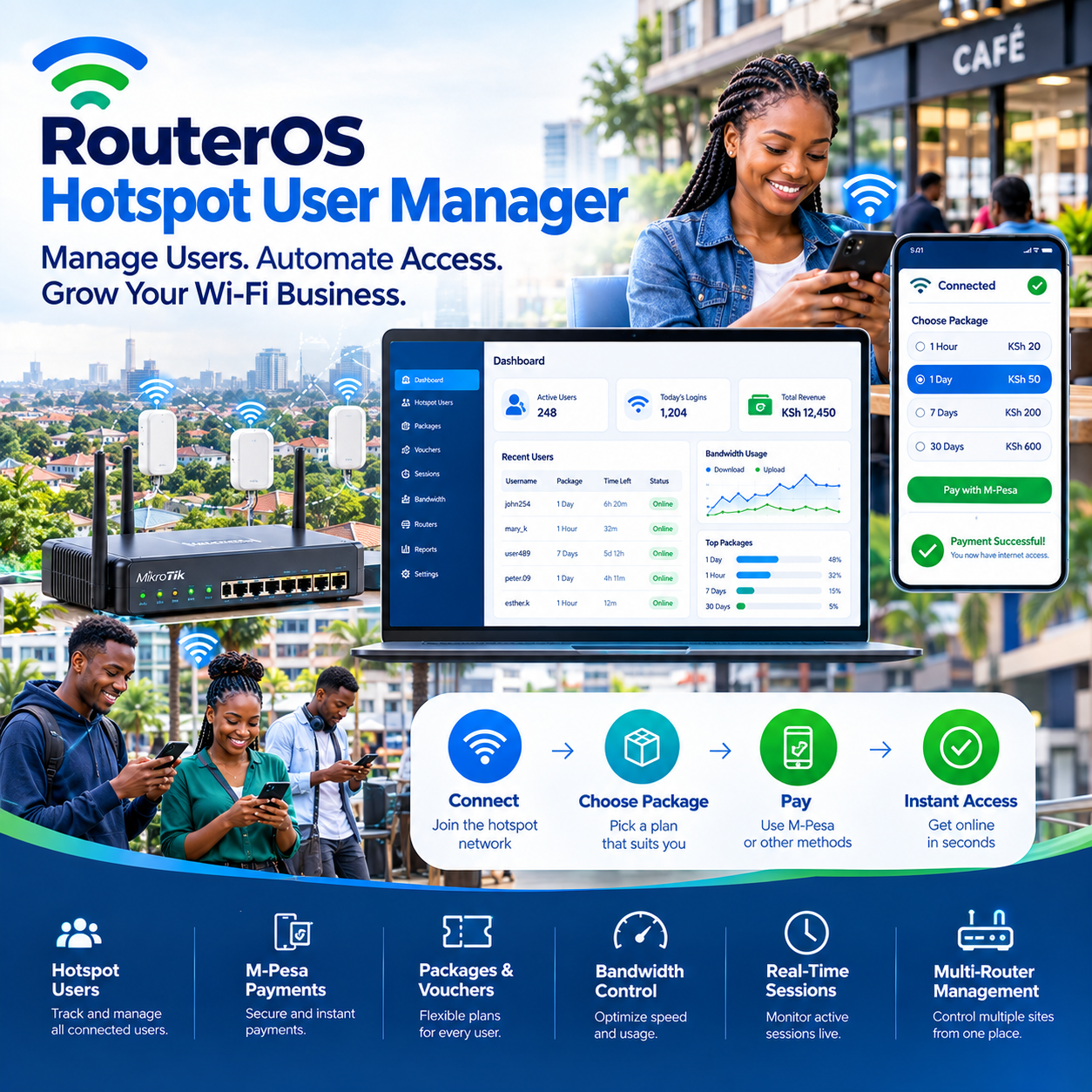
RouterOS hotspot user manager is the quiet workhorse running thousands of hotspot businesses across the country — a tool built into the router itself that manages users, sessions, and access without charging a shilling for the privilege.
Every day, students, shopkeepers, estate caretakers, and full-time wireless operators sell internet through networks governed by this software, usually without knowing its name.
They know the login page their customers see. They know the vouchers they print. They know the M-Pesa notifications that arrive.
What they rarely know is that all of it rides on the RouterOS hotspot user manager working quietly inside the router box mounted somewhere above their heads.
This article opens that box.
It explains what the user manager actually does, why MikroTik’s decision to include it free reshaped an entire industry, where its strengths end, and how serious operators pair it with external systems to run businesses that collect money around the clock.
Because understanding the RouterOS hotspot user manager is understanding the machinery under nearly every affordable hotspot operation in the market.
Table of Contents
ToggleWhat the User Manager Actually Is
Strip away the terminology and the concept is refreshingly concrete.
RouterOS is the operating system that runs every MikroTik router, and within it lives a hotspot package — the machinery that intercepts users, demands login, and meters their access.
The RouterOS hotspot user manager is the component of that machinery responsible for the people side of the equation: who the users are, what each one is allowed, and how long their access lasts.
Think of it as the network’s gatekeeper and accountant combined.
It holds the user database. It enforces the rules each user carries. It counts the time and the data each session consumes.
When a customer logs into a hotspot anywhere in the country, a RouterOS hotspot user manager is almost certainly the system deciding whether that login succeeds and what happens next.
The “user manager” name refers both to this general capability and to a specific add-on package MikroTik provides — a centralized user management system that runs on the router and manages authentication for one or may devices.
Either way, the job is the same: turn a raw wireless signal into a product that can be sold person by person.
That transformation — from open connection to sellable service — is the single most important event in the RouterOS hotspot user manager story, and it is the reason this software underpins an entire economy.
Why MikroTik Won: The Economics of Free
To understand why the RouterOS hotspot user manager matters commercially, you have to understand what came before it.
Historically, running a paid network meant buying authentication servers, licensing user management software, and paying per-user fees that grew with the business.
For a small operator, those costs made the difference between launching and never starting.
MikroTik changed the arithmetic entirely by building hotspot functionality — including user management — directly into RouterOS at no additional charge.
No per-user license. No monthly fee. No separate server required.
A first-time entrepreneur with one router could suddenly run a genuine paid network from day one, because the RouterOS hotspot user manager came included in the box.
That single decision seeded thousands of small connectivity businesses across the continent.
Students launched networks from hostels. Shopkeepers turned their router into a revenue line. Farmers in trading centers became internet providers.
Every one of those businesses began because the barrier — software cost — was removed by the RouterOS hotspot user manager being free.
The competitive effects rippled outward too.
Because so many operators run MikroTik, a deep ecosystem of knowledge, forums, training, and tooling has grown around it — meaning any operator stuck at midnight can find an answer.
That community is part of the value, and it compounds every year the RouterOS hotspot user manager ecosystem grows.
What It Actually Does All Day
The daily work of a RouterOS hotspot user manager falls into a handful of jobs that together operate the entire access layer of the network.
The first job is authentication.
Every device connecting to the hotspot is intercepted and challenged: identify yourself, with credentials the system recognizes.
Only after validation does the RouterOS hotspot user manager release internet access to that device.
The second job is the user database itself.
Every customer exists as an entry — a name, a password or voucher code, and a set of limits attached to that identity.
Time allocations, data caps, speed ceilings, and validity periods all live inside the RouterOS hotspot user manager records.
The third job is session accounting.
From the moment a user logs in, the system tracks their consumption in real time: minutes used, data transferred, and how much of their purchased allocation remains.
When a limit arrives, the RouterOS hotspot user manager ends the session automatically — no attendant, no argument, no delay.
The fourth job is profile enforcement.
Users are grouped into profiles, and profiles carry the rules: how fast, how much, how long.
Change the profile, and every user inside it changes behavior instantly — a control that makes managing hundreds of customers through a RouterOS hotspot user manager feel like managing a spreadsheet rather than a crowd.
Profiles, Limits, and the Art of Packaging
The profile system is where the RouterOS hotspot user manager becomes a business tool rather than a technical feature.
Profiles are the network’s product line.
A “basic” profile might grant modest speed for an hour.
A “premium” profile might grant faster speed for a day.
The operator defines each profile once, and the RouterOS hotspot user manager applies it identically to every user assigned to it — perfectly, consistently, forever.
Speed limits are the most-used lever inside every profile.
Per-user rate limits ensure one customer streaming a film cannot starve a room full of people trying to work.
The RouterOS hotspot user manager enforces these limits at the router level, which means they hold even under heavy load — a reliability that software-only solutions often struggle to match.
Data caps and time limits form the second tier of control.
Vouchers promising “two hours” or “one gigabyte” are, underneath, simply RouterOS hotspot user manager limits attached to a user identity.
Shared-time rules, expiry dates, and per-session ceilings round out the toolkit — giving the operator enough degrees of freedom to match almost any market’s buying habits.
The operators who use this flexibility deliberately, rather than copying default profiles forever, consistently build networks whose products actually fit their customers.
The Famous Gap: What the User Manager Does Not Do
Here is the honest boundary every operator eventually discovers about the RouterOS hotspot user manager: it manages users brilliantly, but it does not run a business.
The gap appears in three places.
First, payments.
The user manager can hold a user and enforce their limits, but it cannot receive money, generate an M-Pesa prompt, confirm a payment, or activate a purchase on its own.
Every shilling entering the business requires something the RouterOS hotspot user manager alone cannot provide.
Second, the customer experience.
The built-in hotspot pages are functional in the way a wooden crate is a chair — technically sufficient, commercially unconvincing.
No branding, no package display, no modern payment flow.
Third, the owner’s view.
Reporting inside the RouterOS hotspot user manager covers sessions and users, but it does not answer business questions: revenue by hour, best-selling packages, customer patterns, collection trends.
These gaps are not flaws so much as a scope decision — MikroTik built the access engine and left the business layer to others.
Understanding that division of labor is the moment most operators stop fighting their tools and start building properly around the RouterOS hotspot user manager core.
Pairing the Engine With a Business Layer
The professional pattern in this market is a handshake: the RouterOS hotspot user manager runs the network’s access, and an external billing platform runs the money.
The connection between them is MikroTik’s API — a documented interface that lets external systems create users, assign profiles, and read sessions directly on the router.
When a customer pays through the billing platform, the platform calls the API, and the RouterOS hotspot user manager creates the user and activates the session within seconds.
The customer experiences one seamless flow: tap a package, pay by M-Pesa, browse.
Underneath, two systems divided the work exactly along their strengths.
This pairing is what transformed the hotspot industry from voucher books to automated businesses.
The billing platform brought payments, branding, and reporting; the RouterOS hotspot user manager brought battle-tested enforcement that never sleeps.
The division also protects the operator structurally.
Router-side enforcement means the rules hold even if the billing platform’s connection drops mid-session — the RouterOS hotspot user manager keeps counting and cutting on its own.
Operators evaluating billing platforms for MikroTik networks should test that handshake directly: pay on the portal, watch the user appear in the router, and time the activation.
The platforms that pass that test cleanly are the ones whose customers run hands-off businesses on top of their RouterOS hotspot user manager foundations.
The Mistakes Operators Make With It
Years of forum threads and support calls have surfaced the same recurring mistakes, and naming them is cheaper than making them.
The first is running with default credentials.
Routers shipped with well-known passwords are the first thing attackers probe, and an exposed RouterOS hotspot user manager with default admin access is an open door to an entire business.
The second is skipping backups.
The user database — every customer, every limit — lives on the router, and routers die from power events, surges, and theft.
Operators who export their RouterOS hotspot user manager data regularly recover from hardware loss in minutes; operators who don’t start again from zero.
The third is misunderstanding the user manager package itself — installing the centralized version without grasping how it communicates with routers, then troubleshooting blind.
The fourth is overloading one small router: a device that serves thirty users gracefully will strain at three hundred, and no amount of configuration rescues hardware pushed past its ceiling.
The fifth is treating hotspot bypass as hypothetical — allowing users to share sessions, spoof addresses, or tunnel past authentication because the firewall was left soft.
A hardened RouterOS hotspot user manager deployment closes these doors deliberately, and the recovered revenue is immediate.
None of these mistakes is exotic.
All of them are visible in the accounts of operators who skipped the fundamentals, which is why veterans treat the basics — passwords, backups, sizing, firewall — as the whole job of running a RouterOS hotspot user manager properly.
Security: The Gatekeeper Must Be Guarded
A system that controls who gets online and who does not is, by definition, a security asset — and security assets get attacked.
The discipline starts at the router’s management layer: strong credentials, management access restricted to trusted addresses, and services that are not needed switched off.
Every RouterOS hotspot user manager hardening guide begins there, because the manager is only as trustworthy as the router beneath it.
Firmware currency is the second pillar.
RouterOS releases patch vulnerabilities regularly, and operators who update on a schedule — with backups taken first — stay ahead of threats that prey on neglected boxes.
The network segmentation habit completes the picture: hotspot users on their own layer, business systems on another, and the management interface reachable by nobody on the customer side.
A properly segmented RouterOS hotspot user manager deployment means a compromised guest device cannot wander anywhere it matters.
The final pillar is monitoring: authentication logs, failed-login patterns, and session anomalies reviewed on a routine
Attacks leave traces, and the operator who reads logs catches patterns while they are still experiments.
Security in this context is not paranoia; it is the maintenance of the exact thing customers trust when they pay — which makes it a revenue topic disguised as a technical one, and every serious RouterOS hotspot user manager operator treats it that way.
Scaling: One Router Becomes a Network
Growth changes the demands on a RouterOS hotspot user manager deployment in predictable ways, and the operators who scale planned for them early.
The first scaling step is capacity: upgrading router hardware before session tables, authentication loads, and queue processing saturate the original box.
The second step is centralization: MikroTik’s user manager package can run on one device and serve authentication for many — so additional routers join the network without fragmenting the user base.
Under a centralized RouterOS hotspot user manager architecture, a customer account works at every site, which is exactly what multi-location operators need.
The third step is the billing handshake repeated at scale: one external platform speaking to many routers through the API, so packages, pricing, and promotions propagate everywhere from one dashboard.
This is the architecture behind the largest hotspot portfolios in the market — RouterOS hotspot user manager enforcement at every edge, business logic centralized at the top.
The operators who scaled cleanly share a common history: standards written down, hardware chosen with headroom, and the user manager treated as a component in a system rather than the whole system.
Those who skipped the planning rebuilt at the third or fourth site, paying for the early shortcut with interest — a pattern so consistent it might as well be a law of RouterOS hotspot user manager growth.
The Payoff: What This Free Tool Actually Delivers
Ask operators who have run networks for years what the RouterOS hotspot user manager gave them, and the answers converge on three themes
Autonomy: an access layer that authenticates, limits, and cuts without human hands — the reason a network of hundreds can be run from a phone in the evening.
Economics: no licensing costs, ever, which kept margins intact through the years when margins decided survival.
And reliability: enforcement at the router level that has proven itself across millions of sessions, in environments far harsher than any laboratory.
None of this arrived as magic.
It came from the discipline of understanding what the tool is, respecting what it is not, and building the business layer around it deliberately.
The operators who treat the RouterOS hotspot user manager as the engine it is — powerful, free, and incomplete without a business layer — are the ones whose networks quietly collect money every day of the year.
Frequently Asked Questions
Is the user manager free, or does it require a license?
It is free — user management and hotspot functionality are built into RouterOS at no additional charge, with no per-user fees.
That economics is the foundation of why so many businesses run on a RouterOS hotspot user manager core.
Can it handle M-Pesa payments by itself?
No — it manages users and sessions, but payments require an external billing platform connected through the API.
The pairing of billing software with a RouterOS hotspot user manager is the standard architecture for automated hotspot businesses.
What is the difference between the built-in hotspot users and the User Manager package?
Built-in hotspot users live locally on each router, while the User Manager package centralizes user management across one or many devices.
Operators running multiple sites typically centralize their RouterOS hotspot user manager so accounts work everywhere.
How many users can one router handle?
It depends on the router model: small units serve a few dozen users comfortably, while stronger models handle hundreds.
Sizing hardware for the RouterOS hotspot user manager load is one of the first planning decisions every operator should make.
Do users need accounts, or can vouchers work?
Both — the system supports username-password accounts and voucher-style codes with identical enforcement underneath.
The choice between account-based and voucher-based RouterOS hotspot user manager flows is a business decision, not a technical one.
What happens when a user’s time or data runs out?
The session ends automatically, exactly when the purchased allocation is consumed.
This precise enforcement is the core value of a RouterOS hotspot user manager and the reason disputes are rare on properly configured networks.
Can I set different speeds for different customers?
Yes — profiles carry per-user rate limits, and users are assigned to profiles individually or in groups.
Speed tiering through the RouterOS hotspot user manager is how operators sell premium packages on the same network.
What should I back up, and how often?
The router configuration and the user database together represent the entire business, and both should be exported regularly.
Operators who back up their RouterOS hotspot user manager data before every change and on a fixed schedule recover from hardware loss in minutes.
Is it secure enough for a commercial network?
Yes, when hardened: strong credentials, restricted management access, current firmware, and proper segmentation.
A well-hardened RouterOS hotspot user manager deployment is the security standard for thousands of commercial networks.
Can one user manager serve several routers?
Yes — the centralized package authenticates users for multiple devices, making it the natural choice for multi-site operators.
That centralization is why growing networks standardize on a RouterOS hotspot user manager architecture early.
What happens if the billing platform goes offline?
Router-side enforcement continues — the RouterOS hotspot user manager keeps counting sessions and applying limits on its own.
This independence is a structural advantage of the architecture, not a lucky accident.
How do I know if my setup is done right?
Test the full loop with your own hands: pay on the portal, watch the user appear on the router, browse, exhaust the time, and confirm the clean cutoff.
The operator who verifies their RouterOS hotspot user manager end to end before launch is the one whose network behaves identically at midnight and midday — and that verified reliability, repeated across every site and every config change, is what turns this free tool into a business that quietly earns every single day through its RouterOS hotspot user manager core.