
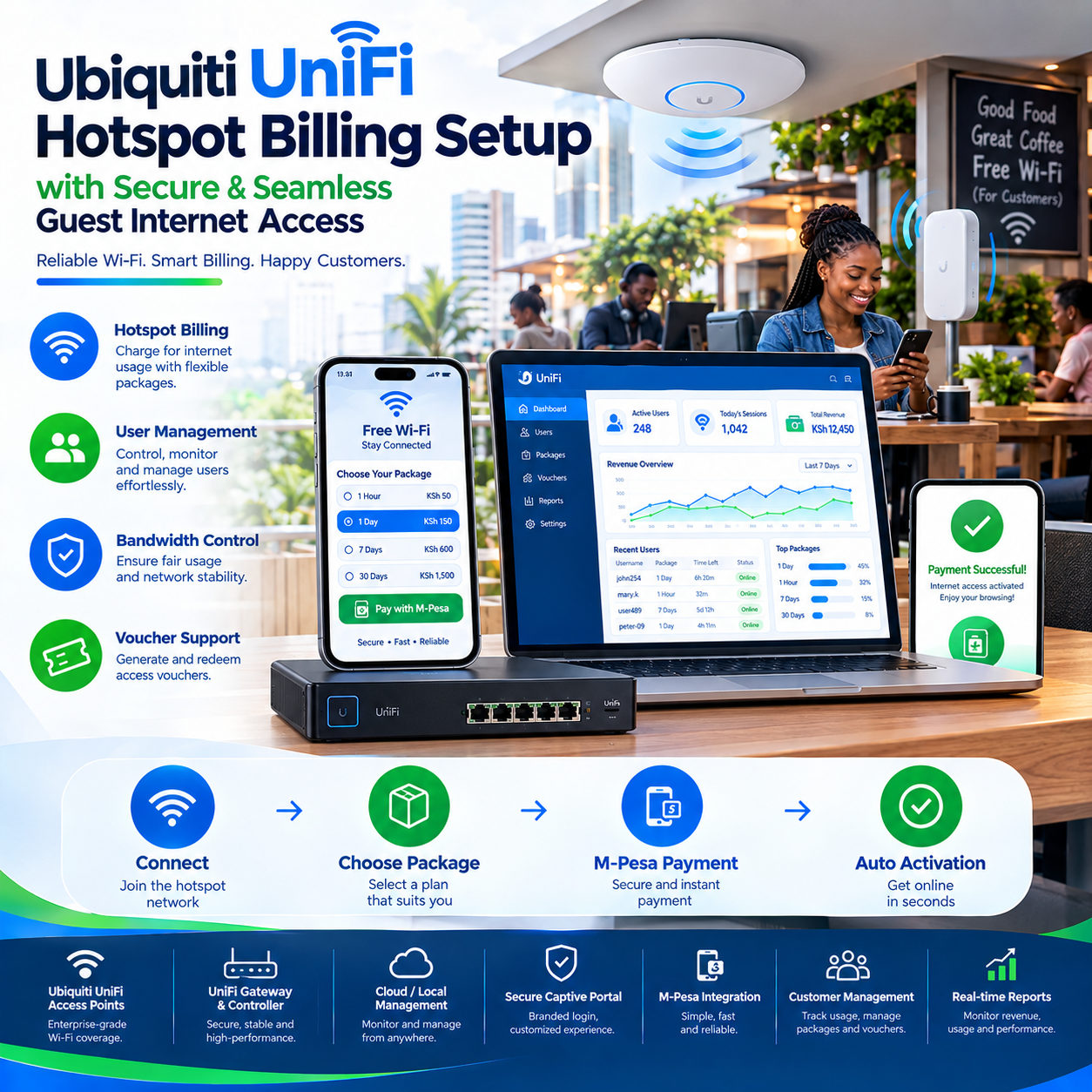
Ubiquiti UniFi hotspot billing setup is the process that transforms one of the world’s most respected WiFi ecosystems from a beautiful network into a business that collects money around the clock.
UniFi equipment sits at the premium end of the wireless market — sleek access points, a unified controller, and a management experience that has made it the favorite of hotels, offices, schools, and serious network builders.
But a network, however elegant, is not yet a business.
The moment an operator decides to charge for access, everything changes: the guest portal becomes a storefront, the controller becomes a cash register, and the Ubiquiti UniFi hotspot billing setup becomes the most important configuration in the entire deployment.
Done well, the setup produces something remarkable — enterprise-grade WiFi that sells itself by the hour, collects through M-Pesa, and enforces its own rules without a human in the loop.
Done poorly, it produces a premium network that gives away its premium product for free.
This article walks through the entire picture: what UniFi’s hotspot machinery does natively, where the gaps sit, how the billing layer completes the business, and what separates the operators earning daily from the ones running very expensive free WiFi.
Why UniFi Won the Professional’s Heart
To understand why the Ubiquiti UniFi hotspot billing setup matters, you first have to understand why UniFi dominates the venues it dominates.
The ecosystem’s appeal starts with central management: every access point, switch, and gateway reports to a single controller interface, visible from anywhere.
A network of fifty access points behaves like one managed organism rather than fifty separate boxes — a reality that transformed how hotels, campuses, and estates operate their WiFi.
The hardware itself carries the second advantage: aesthetically discreet access points designed for lobbies, restaurants, and guest rooms where appearance matters as much as signal.
Guests never see the network; they experience it.
The third advantage is polish — the captive portal, the roaming between access points, and the client experience all carry a refinement that budget ecosystems never quite achieve.
This is why venues charging for WiFi — hotels, serviced apartments, conference centers — gravitate toward UniFi in the first place.
And it is why the Ubiquiti UniFi hotspot billing setup question follows the hardware everywhere: the moment premium WiFi exists, someone wants to monetize it.
The economics complete the picture.
UniFi delivers enterprise features at mid-market prices, with no per-access-point licensing on the self-hosted controller — an ownership model that operators scaling to dozens of locations find decisive.
Owning the infrastructure outright, with the Ubiquiti UniFi hotspot billing setup layered on top, gives operators a cost structure competitors renting their software cannot match.
What the Guest Portal Does Out of the Box
UniFi ships with genuinely capable hotspot machinery built into its controller, and every serious Ubiquiti UniFi hotspot billing setup begins by understanding exactly what is already there.
The guest portal is the centerpiece: the customizable page every guest device lands on before internet flows.
It supports branding, custom HTML, terms and conditions, and authentication options ranging from simple password gates to voucher entry.
The voucher system is the workhorse: the controller generates codes with attached limits — duration, bandwidth, data caps — and the Hotspot Manager lets staff create, print, and track them from a browser.
For venues selling time directly, the controller also includes a native payment option through Stripe, letting guests pay by card and receive access automatically.
Bandwidth controls complete the native toolkit: per-guest rate limits, total bandwidth allocations, and session expiries all enforce at the network level, reliably, around the clock.
This native layer is genuinely functional — enough for a hotel running complimentary access with limits, or a venue selling vouchers at a desk.
But every operator who attempts to run a commercial Ubiquiti UniFi hotspot billing setup on native tools alone eventually meets the same wall, and the wall has a name: payments.
The Gap: Where Native Tools End and Business Begins
The honest boundary of UniFi’s built-in hotspot features appears the moment an operator studies their market’s payment reality.
The native payment integration is Stripe — a card processor that works beautifully in markets where guests carry cards.
In markets where guests carry M-Pesa, the native option simply does not answer.
This is the defining gap of every Ubiquiti UniFi hotspot billing setup in mobile-money economies: the portal can enforce, but it cannot collect the way customers actually pay.
The second gap is the business layer — revenue reporting, package ladders, customer histories, and payment reconciliation that native tools were never designed to provide.
The controller knows sessions and vouchers; it does not know margins, best-sellers, or which hour of the day the money flows.
The third gap is automation: selling a voucher through the Hotspot Manager is human work, and human work does not scale to midnight purchases or three hundred daily transactions.
These gaps are not defects — UniFi built a world-class network platform and left the commerce layer deliberately open.
Closing that gap is the entire purpose of a proper Ubiquiti UniFi hotspot billing setup, and it happens through a handshake every serious operator eventually builds.
How the Billing Setup Actually Works
The architecture of a complete Ubiquiti UniFi hotspot billing setup follows a clean division: the UniFi controller enforces, and an external billing platform sells.
The bridge between them is the controller’s API — a documented interface through which external systems create vouchers, authorize guests, and read session data in real time.
When a customer pays on the billing platform, the platform calls the API, and the controller authorizes that device instantly.
The customer experiences one seamless flow: connect to the WiFi, land on the portal, choose a package, pay by M-Pesa, and browse — with the Ubiquiti UniFi hotspot billing setup machinery completing the loop in seconds.
Underneath, the division of labor is exact: the billing platform owns money, branding, and reporting; the controller owns enforcement, roaming, and bandwidth discipline.
This division is the architecture’s strength, because each system does what it does best.
Enforcement at the controller level means the rules hold even under heavy load — a hundred guests roaming between access points, each one metered precisely by the Ubiquiti UniFi hotspot billing setup policies attached to them.
The external portal option adds another path: operators can replace the native portal page entirely, pointing guest devices to a fully branded storefront with package displays, promotions, and the payment flow.
Whichever path the operator chooses, the test of a completed Ubiquiti UniFi hotspot billing setup is the same: pay on the portal with your own phone, watch the device open, and time how long the whole loop takes.
Under a minute is the professional standard, and the platforms that achieve it consistently are the ones operators keep.
Vouchers, Accounts, and the Hotspot Manager
Every Ubiquiti UniFi hotspot billing setup must answer one design question early: vouchers or accounts — and the answer shapes the entire customer experience.
Vouchers are the classic model: codes generated in the Hotspot Manager, each carrying its limits, sold at a desk or delivered by the billing platform automatically.
They suit walk-in traffic, transient guests, and venues where customers prefer paying cash at a counter.
Accounts are the modern model: each customer holds a persistent identity with purchase history, balances, and renewals — the structure that monthly packages and loyalty depend on.
The strongest Ubiquiti UniFi hotspot billing setup deployments run both: vouchers for the casual guest, accounts for the regular, all enforced identically by the same controller.
The Hotspot Manager itself deserves respect as an operations tool.
Staff can generate batches, print cards for a weekend event, extend a valued guest’s session, or revoke an abuser — all from a browser, with records attached to every action.
For venues with front desks, this becomes the training syllabus: a staff member who masters the Hotspot Manager can run the WiFi business single-handedly through any shift.
And when the billing platform automates voucher delivery — generating and sending codes the moment M-Pesa confirms — the Ubiquiti UniFi hotspot billing setup stops needing the desk entirely, which is where the business finally scales past its staff.
M-Pesa and the Payment Flow
In mobile-money markets, the payment flow is the heart of the Ubiquiti UniFi hotspot billing setup, because it is the moment revenue either completes or evaporates.
The gold standard flow is fully automated: the guest taps a package on the portal, an STK push lands on their phone, they enter their M-Pesa PIN, and the controller authorizes their device within seconds.
No staff involvement, no manual voucher entry, no reconciliation at midnight.
Achieving that flow requires a billing platform with deep M-Pesa integration wired into the UniFi controller — and the depth of that integration is measurable in abandoned purchases.
Shallow integrations send guests away to paybill numbers with typed account references, and every typo, delay, or confirmation gap becomes a lost sale standing in the lobby.
Deep integrations — the standard for a professional Ubiquiti UniFi hotspot billing setup — keep the guest on the portal, push the payment to their phone, and activate the session on confirmation.
Reconciliation completes the payment layer: stray payments, manual sends, and delayed confirmations get matched to guests automatically, so no money ever arrives without its access.
Operators who upgraded from manual voucher sales to this automated flow report the same discovery: the business’s effective selling hours expanded from staff shifts to all twenty-four, and collections rose accordingly.
That expansion — revenue arriving at midnight, at dawn, during Sunday rushes — is the quiet dividend of a Ubiquiti UniFi hotspot billing setup done with payment depth as the first priority.
Designing Packages That Fit the Venue
The retail layer of a Ubiquiti UniFi hotspot billing setup is its package ladder, and the ladder must match the venue’s traffic — not the operator’s guesses.
Hotels think in nights: a complimentary basic tier with paid premium upgrades, billed to the room or paid at the portal.
Cafés think in hours: short sessions for quick visits, day passes for laptop workers, bundles for the regulars.
Serviced apartments think in weeks and months: packages that mirror the tenancy, renewable from the portal without the landlord’s involvement.
Event venues think in days: conference passes sold in bulk, generated as voucher batches, and distributed at registration.
The controller’s bandwidth enforcement makes every tier honest — a premium package genuinely moves faster, and a basic package genuinely holds its limits, because the Ubiquiti UniFi hotspot billing setup enforces at the network level rather than promising on the page.
Speed tiering doubles as the upsell engine: guests who experience the free tier’s modest speed upgrade willingly when the premium tier’s difference is real and visible.
Off-peak pricing fills the quiet hours — discounted packages during the venue’s dead periods monetize capacity that otherwise sits idle.
The operators who tune their ladders against the billing dashboard’s evidence, rather than instinct, consistently find a middle package that outsells everything — and make it the most attractive rung on purpose.
That evidence-driven tuning is the difference between a Ubiquiti UniFi hotspot billing setup that sells and one that merely exists.
The Mistakes That Undermine UniFi Hotspot Deployments
The recurring failures in this ecosystem repeat across every market, and naming them is cheaper than making them.
The first is the unfinished setup: the venue configures the guest portal, never connects the payment layer, and runs premium WiFi as a permanent giveaway.
The second is the card-only mistake — activating the native Stripe option and stopping there, leaving the M-Pesa majority with no way to pay.
The third is overloading one access point: UniFi hardware is capable, but every radio has ceilings, and the venue that packs two hundred guests onto one AP discovers it during the launch event.
The fourth is skipping the guest-to-production separation: guest traffic must live on its own network segment, because the portal’s whole purpose is keeping strangers away from business systems.
A disciplined Ubiquiti UniFi hotspot billing setup treats that segmentation as non-negotiable from day one.
The fifth is controller neglect: outdated firmware, no backups of the configuration, and no plan for the day the controller host fails.
The controller is the brain of the entire Ubiquiti UniFi hotspot billing setup — losing it unprepared means rebuilding the network’s logic from memory.
The sixth is the silent launch: turning paid access on without telling regular guests, then spending a week repairing goodwill that one honest announcement would have preserved.
Each mistake is avoidable with the same habit — testing the full loop with real money, real devices, and real guests before the business depends on it.
Security: The Portal Is the Front Door
A commercial guest network is a public-facing system carrying private traffic and real money, and the Ubiquiti UniFi hotspot billing setup must be hardened accordingly.
Segmentation comes first: guest devices on an isolated network, staff and business systems on another, with firewall rules enforcing the boundary in both directions.
This single structure neutralizes the most common venue-network risk — a visitor’s laptop wandering where it should never reach.
Payment security follows: guests should enter their M-Pesa PIN only on their own phones, inside the payment provider’s environment, never on any web form the venue controls.
Any Ubiquiti UniFi hotspot billing setup that asks for payment credentials directly should be abandoned on sight.
Data discipline comes third: guest details collected at login must serve the guest — receipts, session management — with consent stated plainly and retention kept minimal.
The venues that respect their guests’ data keep their guests, and the goodwill shows up in renewals and reviews.
Controller security completes the stack: strong credentials, restricted management access, current firmware, and the HTTPS portal that assures every guest their session is protected.
Security in this context is brand maintenance — the venue’s promise that its premium network is as safe as it is beautiful — and every professional Ubiquiti UniFi hotspot billing setup treats it as part of the product.
Scaling: One Venue Becomes a Portfolio
The UniFi ecosystem’s central management is where the Ubiquiti UniFi hotspot billing setup reveals its scaling power.
A controller can govern access points across multiple sites, and the billing platform layers on top of that structure — one dashboard for money, one controller view for networks, both spanning the portfolio.
The operator running a second hotel or a third apartment block inherits everything: the same packages, the same portal branding, the same enforcement policies, deployed as configuration rather than construction.
Multi-site reporting closes the loop: revenue per venue, per package, per period, visible from one login.
The operators who scaled on this architecture describe opening new locations as almost administrative — the Ubiquiti UniFi hotspot billing setup template replicates, the access points mount, and the revenue begins.
Consistency survives the growth: a guest who knows one property’s WiFi knows them all, which quietly compounds the brand across the portfolio.
The lesson the scaling operators share: choose the billing architecture for the tenth location, not the first, because retrofitting centralization after fragmentation costs multiples of choosing it correctly the first time.
That foresight — one platform, many venues — is the structural difference between an operator and an owner.
The Payoff: What the Setup Actually Delivers
Ask operators a year after completing their Ubiquiti UniFi hotspot billing setup what changed, and the answers converge.
Revenue: a network that once sat as a cost line began paying for itself — session by session, guest by guest, at hours no desk was open.
Calm: the manual voucher books, the reconciliation arguments, and the “did you receive my payment” conversations all ended, replaced by records that settle questions in seconds.
Professionalism: the branded portal, the seamless payment, the honest speeds — small polish points guests mention in reviews without being asked.
And control: bandwidth that serves the venue’s priorities, guests who pay for what they use, and a business the owner reads from a dashboard instead of policing by walking the floor.
None of it required new hardware beyond what the venue already chose.
It required completing the circuit the hardware was built for — which is the entire argument for taking the Ubiquiti UniFi hotspot billing setup seriously: the network was always capable of earning, and the only thing missing was the business layer that lets it.
Frequently Asked Questions
Does UniFi handle payments natively?
Yes, through a Stripe card-payment integration — which works for card-carrying guests.
In mobile-money markets, a professional Ubiquiti UniFi hotspot billing setup pairs the controller with a billing platform that collects through M-Pesa and authorizes access via the API.
Do I need to replace the UniFi guest portal?
No — you can customize the native portal or point guests to an external one.
The right choice depends on how much storefront the Ubiquiti UniFi hotspot billing setup needs: package displays and promotions favor the external portal, simple access favors the native one.
Can vouchers and paid portal purchases coexist?
Yes — and the strongest deployments run both: vouchers for cash customers and events, portal payments for everyone else, enforced identically.
This flexibility is a core reason venues standardize their Ubiquiti UniFi hotspot billing setup on the platform.
What happens if the billing platform goes offline?
The controller keeps enforcing active sessions and existing authorizations on its own.
Designing the Ubiquiti UniFi hotspot billing setup with that independence in mind is what keeps guests online through upstream hiccups.
How many guests can one access point serve?
Depends on the model and the traffic: modern UniFi APs handle dozens of comfortable users, but every radio has ceilings.
Sizing the Ubiquiti UniFi hotspot billing setup to peak occupancy — not average — is the planning rule that prevents launch-day embarrassments.
Can guests roam between access points on one purchase?
Yes — roaming across the same network is seamless, with the session and its limits following the device.
That roaming continuity is one of the native strengths every Ubiquiti UniFi hotspot billing setup inherits from the controller.
How do I stop one guest from sharing their access?
Device binding and one-session-per-credential rules, enforced by the billing platform and controller together.
A properly configured Ubiquiti UniFi hotspot billing setup makes one purchase serve one device at a time, recovering revenue sharing would otherwise drain.
Can I sell different speeds?
Yes — bandwidth profiles attach to packages, and the controller enforces the tiers at network level.
Speed tiering is the most reliable upsell inside a Ubiquiti UniFi hotspot billing setup, because the premium difference is genuinely felt.
What should I test before launching paid access?
The full loop with real money: pay on the portal, confirm the device opens, exhaust the session, and verify the clean cutoff.
The operator who personally validates their Ubiquiti UniFi hotspot billing setup end to end launches with evidence instead of hope.
Can one setup manage several venues?
Yes — central controller management plus one billing dashboard spans the portfolio, with per-site reporting.
The operators who grew to multiple locations all standardized their Ubiquiti UniFi hotspot billing setup architecture early, because replicating a proven template is the cheapest growth any WiFi business ever executes — and the venues that built that template on the Ubiquiti UniFi hotspot billing setup foundation discovered the same closing truth every time: the premium network they chose for its polish was always capable of premium revenue, and completing the Ubiquiti UniFi hotspot billing setup was simply the moment the hardware started paying for itself — guest by guest, session by session, and year after year through the Ubiquiti UniFi hotspot billing setup that finally made the beautiful network a business.