
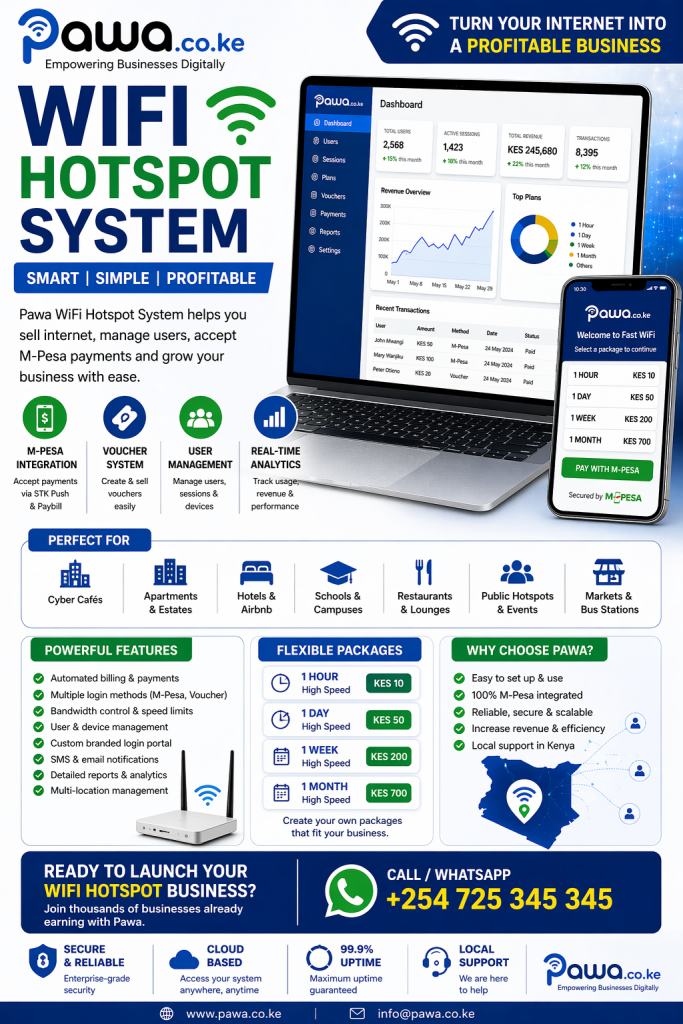
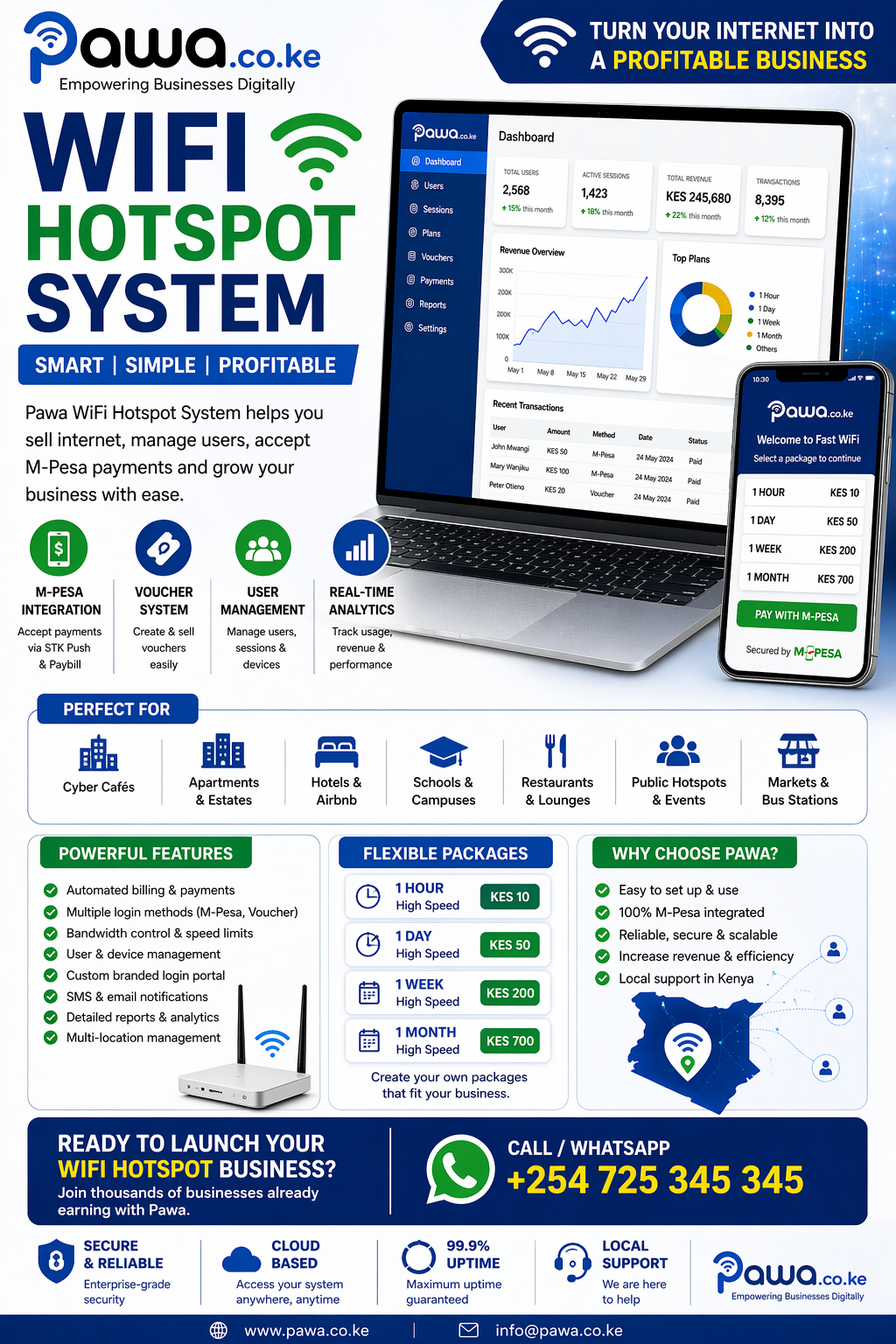
A WiFi hotspot system is one of the most powerful ways to turn internet access into a profitable business. Whether you operate in a busy town, an apartment complex, or a rural area, a well-designed hotspot system allows you to control access, manage users, and generate consistent income.
At Pawa.co.ke, we provide a modern WiFi hotspot system that enables businesses in Kenya to automate billing, manage connections, and scale their internet services efficiently.
What is a WiFi Hotspot System?
A WiFi hotspot system is a solution that allows you to share internet access with multiple users while controlling how they connect and how they pay.
Instead of giving free internet, you can:
- Charge users for access
- Control bandwidth usage
- Monitor user activity
- Offer flexible pricing plans
This transforms your network into a revenue-generating platform.
Why a WiFi Hotspot System is Important in Kenya
Kenya’s digital growth has created massive demand for internet access. Businesses, students, and individuals rely on WiFi daily.
Without a proper WiFi hotspot system, you risk:
- Loss of revenue
- Unauthorized access
- Poor network performance
- Manual billing challenges
A professional system solves all these issues.
Key Features of a WiFi Hotspot System
1. Automated Billing System
Charge users based on:
- Time (hourly, daily, weekly)
- Data usage
- Subscription plans
2. M-Pesa Integration
Enable easy payments via:
- STK Push
- Paybill
- Instant confirmation
3. User Management
Track:
- Active users
- Sessions
- Connected devices
4. Bandwidth Control
Ensure fair usage by:
- Limiting speeds
- Managing congestion
5. Voucher System
Sell prepaid access using:
- Scratch vouchers
- Digital codes
6. Real-Time Analytics
Monitor:
- Revenue
- Usage
- Peak hours
7. Multi-Location Management
Manage multiple hotspots from one dashboard.
How a WiFi Hotspot System Works
- User connects to WiFi
- Redirected to login/payment page
- Selects a package
- Pays via M-Pesa or voucher
- Access is granted instantly
Everything is automated.
Who Needs a WiFi Hotspot System?
A WiFi hotspot system is ideal for:
- Cyber cafés
- Apartments and estates
- Hotels and Airbnb
- Schools and campuses
- Restaurants and lounges
- Public hotspots
- Internet service providers
WiFi Hotspot System for Businesses
Businesses can use a WiFi hotspot system to:
- Offer paid WiFi services
- Improve customer experience
- Generate additional revenue
- Promote their brand
WiFi Hotspot System for Apartments & Estates
Property owners can:
- Charge tenants monthly
- Control internet access per unit
- Manage payments automatically
This creates a steady income stream.
WiFi Hotspot System for Public Hotspots
In areas like:
- Bus stations
- Markets
- CBD
You can:
- Sell hourly internet
- Use vouchers
- Serve hundreds of users
How to Set Up a WiFi Hotspot System in Kenya
Step 1: Get Internet Connection
Choose:
- Fiber (Safaricom, Zuku)
- Starlink
Step 2: Install Hardware
- Router (MikroTik recommended)
- Access points
- Network cables
Step 3: Deploy Hotspot System
Use Pawa to:
- Configure billing
- Set packages
- Launch hotspot
Step 4: Create Pricing Plans
Examples:
- KES 10/hour
- KES 50/day
- Monthly subscriptions
Step 5: Start Selling
Launch your WiFi business.
Benefits of Using Pawa WiFi Hotspot System
- Full automation
- Instant payments
- Easy management
- Scalable solution
- Reliable performance
Challenges Without a WiFi Hotspot System
- Revenue leakage
- Network abuse
- Manual billing errors
- Poor customer experience
Advanced Features for Growth
Custom Login Portal
Brand your hotspot page.
SMS Notifications
Send:
- Payment alerts
- Expiry reminders
Cloud Management
Manage from anywhere.
API Integration
Connect with other systems.
Revenue Potential of WiFi Hotspot System
Example:
- 100 users/day
- Each pays KES 20
👉 KES 2,000/day
👉 KES 60,000/month
WiFi Hotspot System vs Free WiFi
| Feature | Free WiFi | WiFi Hotspot System |
|---|---|---|
| Revenue | ❌ None | ✅ High |
| Control | ❌ Low | ✅ Full |
| Security | ❌ Weak | ✅ Strong |
| Scalability | ❌ Limited | ✅ High |
Future of WiFi Hotspot Systems
- AI-based optimization
- Integration with mobile apps
- Growth of satellite internet
- Smart city WiFi networks
Why Choose Pawa.co.ke?
Pawa is built for Kenya and offers:
- M-Pesa integration
- Scalable systems
- Reliable infrastructure
- Local support
We help you turn your internet into a business.
Call to Action
Start Your WiFi Hotspot Business Today
Don’t just provide internet—monetize it.
👉 Visit: https://pawa.co.ke
📞 Call/WhatsApp: +254 725 345 345
WiFi Hotspot System Architecture (Technical Breakdown)
To build a reliable WiFi hotspot system, you need more than just internet and a router. A complete setup includes multiple layers working together:
1. Access Network Layer
This is where users connect:
- Wireless access points (Ubiquiti, TP-Link, MikroTik)
- Coverage design (indoor/outdoor)
- Signal optimization for performance
2. Gateway Router (Core Control)
This is the brain of your hotspot:
- Handles traffic routing
- Applies bandwidth limits
- Enforces user sessions
Most systems in Kenya use MikroTik because of its flexibility.
3. Hotspot Server / Billing System
This is where the WiFi hotspot system becomes powerful:
- Authentication (login page)
- Billing (packages, vouchers, subscriptions)
- Access control
4. Payment Integration Layer
For Kenya, this is critical:
- M-Pesa STK Push
- Paybill integration
- Instant activation after payment
5. Monitoring & Analytics Dashboard
Provides insights into:
- Active users
- Revenue
- Network performance
- Data usage trends
Designing a High-Performance WiFi Hotspot Network
A successful WiFi hotspot system depends heavily on network design.
Coverage Planning
- Avoid dead zones
- Use multiple access points
- Optimize placement
Capacity Planning
- Estimate number of users
- Allocate enough bandwidth
- Prevent overload
Backhaul Quality
Your internet source must be stable:
- Fiber for urban areas
- Starlink for remote areas
Advanced WiFi Hotspot System Features
1. Device Limitation
Control how many devices each user can connect.
2. Session Timeout
Automatically disconnect inactive users.
3. Fair Usage Policy (FUP)
Prevent heavy users from consuming all bandwidth.
4. MAC Address Binding
Lock accounts to specific devices.
5. Captive Portal Customization
Design a login page with:
- Your logo
- Promotions
- Ads
WiFi Hotspot System for Different Business Models
1. Pay-As-You-Go Hotspot
- Users pay per session
- Ideal for public areas
2. Subscription-Based Hotspot
- Monthly plans
- Ideal for apartments
3. Freemium Model
- Free basic internet
- Paid premium speeds
4. Sponsored WiFi
- Free internet with ads
- Revenue from advertisers
Scaling a WiFi Hotspot System Across Locations
Once your first hotspot is successful, expansion is key.
Multi-Location Strategy
- Deploy hotspots in multiple areas
- Manage all from one dashboard
- Track performance per location
Franchise Model
Allow others to:
- Use your system
- Pay you a commission
- Expand your network
WiFi Hotspot System Monetization Strategies
To maximize revenue:
Tiered Pricing
- Basic (low speed)
- Standard
- Premium (high speed)
Peak Pricing
Charge more during busy hours.
Bundle Offers
- Daily + weekly combos
- Discounted long-term plans
Upselling
Offer:
- Faster speeds
- Unlimited packages
Marketing Your WiFi Hotspot System Business
Local Marketing
- Posters in estates
- Branding on routers
- Flyers in shops
Digital Marketing
- Google search (SEO)
- Facebook & Instagram ads
- WhatsApp marketing
Referral Programs
Reward users who bring new customers.
Customer Experience Optimization
A great WiFi hotspot system should feel seamless:
- Fast login page
- Simple payment process
- Instant access after payment
- Stable connection
Common Technical Challenges & Solutions
Slow Internet Speeds
Solution:
- Upgrade bandwidth
- Implement QoS
Frequent Disconnections
Solution:
- Improve signal coverage
- Optimize router settings
Payment Failures
Solution:
- Reliable M-Pesa integration
- Real-time callbacks
Unauthorized Access
Solution:
- Strong authentication
- Session control
WiFi Hotspot System for Rural Deployment
Rural areas are underserved but highly profitable.
Advantages
- Less competition
- High demand
- Lower infrastructure costs
Best Approach
- Use Starlink or wireless links
- Deploy community hotspots
- Offer affordable pricing
Future Trends in WiFi Hotspot Systems
The industry is evolving rapidly:
AI-Based Network Optimization
Automatically adjust bandwidth.
Smart Analytics
Predict user behavior and demand.
Integration with IoT
Connect smart devices and services.
5G + Satellite Internet
Expanding coverage across Kenya.
WiFi Hotspot System ROI Deep Analysis
Scenario 1: Small Hotspot
- 50 users/day
- KES 20 per user
👉 KES 1,000/day
👉 KES 30,000/month
Scenario 2: Medium Deployment
- 150 users/day
- KES 25 average
👉 KES 3,750/day
👉 KES 112,500/month
Scenario 3: Large Network
- 500 users/day
- KES 30 average
👉 KES 15,000/day
👉 KES 450,000/month
Why WiFi Hotspot System is a Long-Term Business
- Recurring income
- Low operational costs
- High scalability
- Increasing demand
Final High-Converting Section
Turn Your WiFi Hotspot Into a Profitable Business
With Pawa WiFi Hotspot System, you get:
- Automated billing
- M-Pesa integration
- Real-time control
- Scalable infrastructure
👉 Visit: https://pawa.co.ke
📞 Call/WhatsApp: +254 725 345 345
End-to-End Deployment Checklist (Launch in 48–72 Hours)
Use this checklist to go from idea → live hotspot fast:
Day 1: Planning & Procurement
- Choose location (estate, campus, CBD, rural center)
- Estimate users (peak vs average)
- Buy equipment:
- Router (MikroTik RB series recommended)
- Access points (Ubiquiti/TP-Link)
- Switch + cabling
- Secure internet (Fiber or Starlink)
Day 2: Installation & Configuration
- Mount access points (optimize height & coverage)
- Configure router (DHCP/Hotspot/PPPoE)
- Connect to Pawa WiFi Hotspot System
- Create packages:
- Hourly (KES 10–20)
- Daily (KES 50–100)
- Weekly/Monthly bundles
Day 3: Payments & Go-Live
- Enable M-Pesa (STK Push + Paybill)
- Test captive portal (login → pay → access)
- Print/Share WiFi name + instructions
- Soft launch with a few users → fix issues → full launch
Captive Portal (Login Page) That Converts
Your login page is your “sales page.” Optimize it:
Must-Have Elements
- Clear headline: “Fast WiFi – Pay & Connect Instantly”
- Visible pricing cards (1 Hour / 1 Day / 1 Week)
- Big Pay with M-Pesa button
- Trust badges: Secure • Instant • Reliable
Conversion Boosters
- “Most Popular” badge on best plan
- Limited-time offer (e.g., Today Only: 1 Day @ KES 40)
- Social proof (1000+ users connected this week)
Pricing Playbook (Win Market + Maximize Profit)
Starter Strategy (Penetration)
- Undercut competitors slightly
- Example:
- 1 Hour → KES 10
- 1 Day → KES 50
Goal: Acquire users quickly
Growth Strategy (Optimize Revenue)
- Introduce bundles:
- 3 Days → KES 120
- 1 Week → KES 250
- Add premium speeds (higher price, better QoS)
Mature Strategy (Maximize ARPU)
- Tiered speeds:
- Basic (2–5 Mbps)
- Standard (5–10 Mbps)
- Premium (10–20 Mbps)
- Night bundles (off-peak monetization)
Bandwidth Management (Keep Everyone Happy)
Without control, a few users will kill your network.
Best Practices
- Set per-user speed limits
- Enable burst speeds (fast start, then stabilize)
- Apply Fair Usage Policy (FUP)
- Prioritize paid/premium users
Operational SOPs (Run Like a Pro)
Daily
- Check active users & revenue
- Monitor uptime and latency
- Respond to customer issues
Weekly
- Review top-selling packages
- Adjust pricing if needed
- Inspect equipment (heat, power, cabling)
Monthly
- Analyze growth (users, revenue)
- Expand coverage (add APs)
- Launch promotions (bundles/discounts)
Customer Support Scripts (WhatsApp-Ready)
Connection Help
“Hi, connect to WiFi [Network Name], open any website, select a package, pay via M-Pesa, and you’ll be connected instantly.”
Payment Not Reflecting
“Kindly share your M-Pesa message. We’ll activate your access immediately.”
Slow Speeds
“We’re optimizing the network. Please try reconnecting. Premium packages also offer higher speeds.”
Upsells That Increase Revenue Instantly
- Speed Boost Add-on: +KES 20 for faster speeds
- Unlimited Night Plan: 10PM–6AM bundles
- Weekly Saver Packs: cheaper per day → higher upfront cash
- Device Add-on: +KES 10 for extra device
Partnership Strategy (Scale Faster)
Estate Partnerships
- Offer landlord revenue share (e.g., 10–20%)
- You handle tech + billing; they give access
Business Partnerships
- Cafés, salons, gyms
- Free WiFi for customers, paid premium upgrades
Agent Network
- Local agents sell vouchers
- Commission per sale (KES 2–5 per voucher)
Network Expansion Blueprint
Phase 1: Single Location
- 50–100 daily users
- Validate pricing + stability
Phase 2: Cluster Expansion
- 3–5 nearby hotspots
- Centralized management via Pawa
Phase 3: Area Dominance
- Cover estates, schools, markets
- Build brand recognition
Phase 4: ISP Transition
- Move to PPPoE + subscriptions
- Add corporate clients
Reliability & Uptime (99%+ Target)
Power Backup
- UPS for router + switch
- Optional inverter for longer outages
Internet Redundancy
- Primary: Fiber
- Backup: 4G/5G or Starlink
- Auto failover configured
Monitoring
- Alerts for downtime
- Usage spikes notifications
Security Hardening
- Strong admin passwords
- Limit admin access (IP whitelisting)
- Regular firmware updates
- Disable unused services
- Enforce HTTPS on portal
Analytics Dashboard KPIs (Track These Weekly)
- Daily Active Users (DAU)
- Average Revenue Per User (ARPU)
- Conversion Rate (connect → pay)
- Peak Hour Usage
- Churn Rate (return users vs new)
Use these to refine pricing and promos.
4 comments