
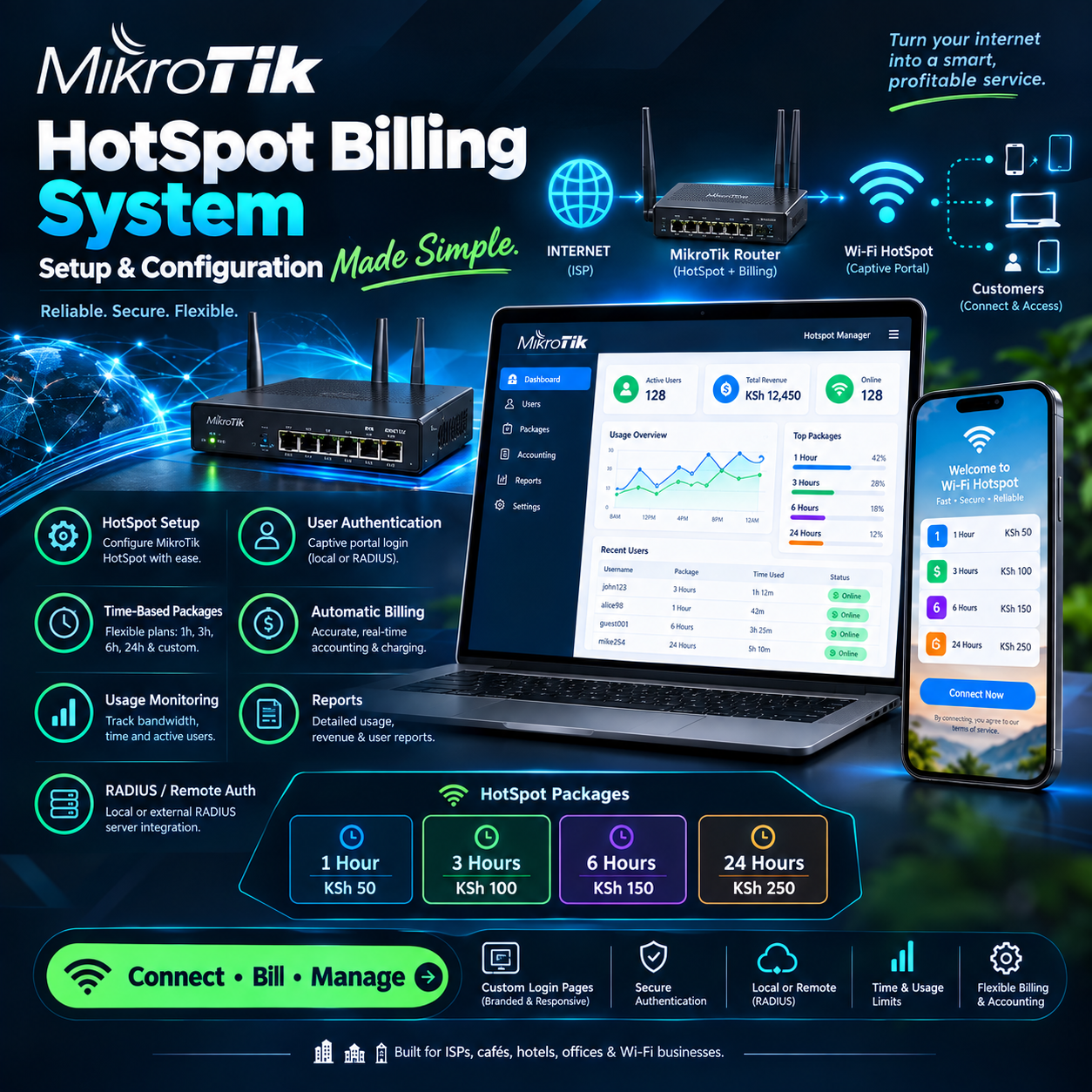
MikroTik hotspot billing system setup and configuration is the invisible foundation beneath nearly every profitable hotspot business in Kenya — and the operators who master it early consistently outperform the ones who treat it as an afterthought.
Walk through any trading center, estate, or university neighborhood and you will find the same story repeating: two entrepreneurs selling internet on the same street, with the same bandwidth and the same prices.
One is thriving. The other is drowning in complaints, refunds, and nightly firefighting. The difference between them is almost never the internet itself. It is the quality of the MikroTik hotspot billing system setup and configuration running behind the scenes.
Done well, the system sells, collects, enforces, and reports on its own — at midnight, during power cuts, and across hundreds of simultaneous users.
Done poorly, it becomes a daily source of lost revenue and lost customers that no amount of marketing can rescue. This article pulls back the curtain on what a proper MikroTik hotspot billing system setup and configuration actually involves, where operators go wrong, and why the difference shows up directly in the bank account.
Why MikroTik Became the Backbone of the Hotspot Economy
To understand the obsession with MikroTik hotspot billing system setup and configuration, you first have to understand why MikroTik won this market in the first place.
The hardware is affordable enough for a first-time entrepreneur, yet powerful enough to run a network serving thousands of users. Its RouterOS software includes hotspot functionality, user management, bandwidth control, and traffic shaping built directly into the operating system.
No license per user. No monthly fees just to keep the box running. That economics made it the default choice across the continent. But raw hardware is only half the story. Out of the box, a MikroTik router is a capable engine with no fuel in it.
The billing layer, the payment flow, the packages, the portal — none of that exists until an operator completes their MikroTik hotspot billing system setup and configuration. And the gap between a rushed, copy-paste setup and a properly engineered one is where businesses quietly win or lose.
The operators who invest in getting their MikroTik hotspot billing system setup and configuration right discover something remarkable: the network starts behaving like a business instead of a hobby.
Payments arrive automatically. Sessions enforce themselves. Disputes end because records exist. The network finally works while the operator sleeps — which is the entire point of the exercise.
What the Configuration Actually Involves
Strip away the intimidation and a MikroTik hotspot billing system setup and configuration rests on five working parts that must talk to each other cleanly.
The hotspot service itself, which intercepts users and demands authentication before any internet flows. The user database, which holds every customer, their package, and their remaining time or validity.
The bandwidth rules, which control how fast each user can go and stop one heavy streamer from degrading a crowd. The captive portal, the page customers see and where packages are presented and purchased.
And the billing platform layered on top, which ties the whole thing to real money — ideally mobile money. The philosophy behind a proper MikroTik hotspot billing system setup and configuration is simple: every part must be deliberate.
Interfaces bridged correctly, IP pools sized for peak load, DNS settings that make the portal appear instantly, and firewall rules that block bypass tricks.
None of it is glamorous. All of it matters. A skipped step in the MikroTik hotspot billing system setup and configuration rarely fails loudly.Instead, it leaks quietly — a user who finds a way past the login page, a session that survives past its expiry, a speed limit that never actually applies.
The best operators learn to treat their configuration the way an accountant treats a ledger: reviewed, tested, and trusted only after verification.
The Hardware Foundation: Where Most Problems Begin
Every MikroTik hotspot billing system setup and configuration inherits the character of the hardware beneath it, and this is where many operators cut corners they regret. The router model must match the scale of the ambition — a small device pushed to serve two hundred users will drop sessions exactly when the business peaks.
Memory and processing headroom matter because hotspot authentication, bandwidth shaping, and user tracking all consume router resources simultaneously. Veterans of MikroTik hotspot billing system setup and configuration recommend buying for the network you intend to run in two years, not the one you have this month.
The upgrade path is far cheaper than the migration path. Antennas, cabling, and power protection belong to the same conversation. A flawless MikroTik hotspot billing system setup and configuration cannot compensate for a corroded cable or a router that reboots every time the grid stutters.
Surge protection and a small UPS are not luxuries in this market — they are the difference between a network that rides out a blackout and one that loses every paying customer in it.
Power events are the single most common killer of otherwise sound configurations. Routers that lose power mid-session can lose their user database, their active sessions, and sometimes their entire configuration.
Serious operators protect their MikroTik hotspot billing system setup and configuration with backups stored off the device, so a dead router costs an evening rather than a week.
The Billing Layer: Choosing What Sits on Top
Here is the decision that shapes everything else in a MikroTik hotspot billing system setup and configuration: what platform will handle the money? RouterOS can authenticate users on its own, but it cannot process M-Pesa payments, generate receipts, present a branded portal, or report revenue.
That layer comes from dedicated billing software built for MikroTik — and the choice among them separates professional networks from fragile ones.
A strong billing platform connects to the router through its API and automates the entire cycle: customer pays, package activates, session begins, time counts down, access ends.
The MikroTik hotspot billing system setup and configuration is complete only when this loop runs without a human touching anything.
Operators who stitch together manual processes — selling vouchers at a counter, typing users into Winbox by hand — eventually hit a wall their own labor builds.
The evaluation criteria for the billing layer mirror what matters in any serious MikroTik hotspot billing system setup and configuration.
Depth of M-Pesa integration first, because payment friction is where sales die. Portal quality second, because it is the one screen every customer sees.
Reliability during outages third, because the grid will test the system whether the operator is ready or not. And honest, flat, predictable pricing — because per-user fees quietly eat margins as the network grows.
The operators who chose well describe the same experience: after the MikroTik hotspot billing system setup and configuration was complete, the billing layer became invisible, and the business started running itself.
M-Pesa Integration: The Moment That Defines the System
No element of a MikroTik hotspot billing system setup and configuration matters more to daily revenue than how payments flow.
The Kenyan customer pays by phone, in seconds, and expects the internet to start in seconds. Any configuration that inserts a delay, a manual step, or a typo risk into that moment is leaking money in real time.
Deep integration means the customer selects a package on the portal, an STK push lands on their screen, they enter their PIN, and the session activates automatically.
That is the standard a professional MikroTik hotspot billing system setup and configuration must meet, and anything less shows up immediately in abandoned purchases.
Reconciliation is the quieter half of the same story. Payments occasionally arrive in odd ways — a manual send, a mistyped amount, a delayed confirmation.
A well-engineered MikroTik hotspot billing system setup and configuration catches these automatically, matches them to accounts, and activates service without a support ticket.
Operators who configure this properly stop having conversations that begin with “I sent the money but…” And that silence, veterans will tell you, is the sound of a business working.
Packages, Profiles, and Speed Limits: Where Fairness Is Engineered
The customer-facing logic of a MikroTik hotspot billing system setup and configuration lives in its packages and profiles — the tiers customers buy and the rules each tier carries.
Well-designed packages match the market’s rhythm: short express sessions for quick checkers, hourly options for the mainstream, and day passes for heavy users.
Each package carries its own speed profile, its own validity, and its own price. This is where the operator engineers fairness into the network itself.
Speed limits per profile stop one customer streaming four videos from degrading the room, and tiered speeds create a natural upsell path.
A thoughtful MikroTik hotspot billing system setup and configuration uses the full bandwidth toolkit RouterOS provides — queue types, burst allowances, and per-user caps tuned to real usage patterns rather than guesswork. Burst rules deserve special mention because they shape perception.
Allowing a short speed burst at connection start makes the network feel fast the moment a customer begins, while long-term averages stay protected.
Operators who tune these details in their MikroTik hotspot billing system setup and configuration report something curious: customers describe the network as “fast” even when the raw bandwidth is identical to a poorly tuned competitor next door.
Perception, engineered deliberately, becomes reputation.
The Captive Portal: One Screen, One Impression
The portal is where a MikroTik hotspot billing system setup and configuration meets its public, and it deserves more attention than most operators give it.
Every customer, on every device, on every visit, passes through this single screen. If it loads slowly on a cheap phone, hides its prices, or confuses first-timers, sales evaporate at the exact moment of purchase.
A professional MikroTik hotspot billing system setup and configuration treats the portal as storefront real estate: the operator’s brand, clear package buttons, prominent prices, and a payment flow that begins with a single tap.
The test is unforgiving and worth running: hand a phone to someone who has never seen the network and watch them connect.
If they reach browsing without asking a single question, the portal has done its job. The portal is also advertising space no other medium can match.
Banners on it reach every connected customer daily — promoting new packages, events, and promotions to a captive audience already motivated to buy.
Operators who exploit this dimension of their MikroTik hotspot billing system setup and configuration turn a login page into their highest-attention marketing channel, at zero additional cost.
User Management and the End of Voucher Chaos
A complete MikroTik hotspot billing system setup and configuration replaces the old voucher economy — printed codes, handwritten ledgers, and midnight stock-takes — with digital accounts and instant records.Users are created automatically at purchase, bound to their devices, and tracked across sessions.
Time enforcement becomes exact: the clock starts at first login, counts down visibly, and ends cleanly. Shared-credential abuse, the silent revenue killer of the voucher era, is engineered out through device binding and simultaneous-login blocks.
One purchase serves one customer — a rule the MikroTik hotspot billing system setup and configuration enforces automatically, recovering revenue that used to walk out the door in the pocket of one paying friend and five leeches. Administration collapses to a phone screen.
Who is online, which accounts are active, which user is consuming abnormal bandwidth, which device needs blocking — every answer arrives in seconds.
This is the daily dividend of a proper MikroTik hotspot billing system setup and configuration: the operator manages a business from anywhere instead of babysitting a router.
The Mistakes That Sink Otherwise Good Networks
Every veteran of MikroTik hotspot billing system setup and configuration carries scars from the same handful of mistakes, and naming them is cheaper than making them.
The first is copying configurations from forums without understanding them.
A settings block that works on one network can quietly break another, and an operator who cannot explain their own MikroTik hotspot billing system setup and configuration cannot troubleshoot it at 9 p.m. on a Sunday.
The second is neglecting the firewall. Hotspot networks without proper rules invite bypass tricks — users who tunnel past authentication, share connections through hotspots of their own, or spoof MAC addresses to ride on paid sessions.
A hardened MikroTik hotspot billing system setup and configuration closes these doors deliberately, and the recovered revenue is immediate.
The third mistake is no backup discipline. Configurations live in one place — the router — and routers die, get stolen, and get fried by surges.
The operators who survive these events are the ones whose MikroTik hotspot billing system setup and configuration is exported, dated, and stored off the device, ready to restore in minutes.
The fourth is misjudging IP pools and lease times for the user load, producing the infamous “no more addresses” failure at peak hours. It is a small setting with a loud failure mode, and it has emptied more cafés than any outage.
Security: Trust as Infrastructure
Money and user data flow through every MikroTik hotspot billing system setup and configuration, which makes security a business requirement rather than a technical preference.
The router’s administration interface must never face the public side of the network. Default passwords are the first thing attackers try and the last thing an operator should keep.
Management access belongs on a dedicated interface, behind strong credentials, reachable only from trusted devices. A disciplined MikroTik hotspot billing system setup and configuration also isolates the hotspot network from any business systems sharing the same hardware — the till, the office laptop, the CCTV recorder must never touch the customer side.
Firmware discipline completes the picture. RouterOS releases close vulnerabilities regularly, and the networks that update deliberately — with backups taken first — stay ahead of the threats that prey on neglected boxes.
Operators sometimes resist touching a working system, and the hesitation is understandable.
But an outdated MikroTik hotspot billing system setup and configuration is a working system with a countdown attached, and the professionals treat updates as routine maintenance rather than risk.
Reliability: Engineering for the Grid You Actually Have
Local conditions write the reliability chapter of every MikroTik hotspot billing system setup and configuration, and the grid is the harshest editor.
Power cuts arrive mid-session, fiber drops without warning, and customers judge the network by how it behaves exactly then.
Well-designed systems absorb these events: sessions persist through reboots, authentication recovers without human help, and payments queued during an outage complete when connectivity returns.
The difference between fragile and resilient configurations is felt in refunds, complaints, and churn.
An operator whose MikroTik hotspot billing system setup and configuration survives a blackout unnoticed keeps every shilling and every customer through the night.
The one whose network collapses spends the next morning issuing apologies instead of invoices. UPS protection, surge arrestors, and disciplined backups are the physical half of reliability.
Session persistence and offline authentication are the software half. A professional MikroTik hotspot billing system setup and configuration addresses both, because reliability is a chain and the grid supplies the weakest links.
Monitoring: Learning to Read Your Own Network
The final habit that separates professional MikroTik hotspot billing system setup and configuration from amateur work is monitoring — reading the network’s vital signs before problems become outages.
RouterOS exposes everything: CPU load, memory pressure, interface traffic, active sessions, and authentication logs.
The billing dashboard layers revenue on top: sales by hour, package popularity, payment failures, and repeat-customer patterns.
Operators who glance at these numbers weekly spot trouble early — the router running hot, the peak-hour congestion building, the payment success rate slipping.
The MikroTik hotspot billing system setup and configuration becomes a living system the owner understands, rather than a black box they fear.
Monitoring also feeds pricing and package decisions. Sales data reveals which tiers customers actually want, which hours carry demand, and where an off-peak offer would fill dead airtime.
The most profitable adjustments operators make usually come straight from reading their own MikroTik hotspot billing system setup and configuration reports with attention — evidence replacing instinct, one month at a time.
Scaling: When One Router Becomes a Network
Growth changes the demands on a MikroTik hotspot billing system setup and configuration in ways that only reveal themselves at scale.
A configuration serving fifty users happily may strain at three hundred, as authentication loads, session tables, and queue processing multiply.
The operators who scale successfully planned for it early: hardware with headroom, packages designed centrally, and a billing platform that manages multiple routers from one dashboard.
Multi-site growth adds a second layer — consistency. The network in the next neighborhood must behave identically to the first, with the same packages, the same portal, the same rules.
A centralized MikroTik hotspot billing system setup and configuration makes that consistency automatic, while a fragmented one makes it a part-time job copying settings between boxes.
The operators who reach five locations and beyond share a common history: their original MikroTik hotspot billing system setup and configuration was built with growth in mind, and every expansion inherited that discipline instead of fighting it.
The Payoff: What a Proper Configuration Actually Buys
Ask operators years down the road what their MikroTik hotspot billing system setup and configuration ultimately gave them, and the answers converge with striking consistency.
First, autonomy: a business that collects, enforces, and reports without the owner’s constant hands.
Second, trust: records that end disputes, receipts that satisfy customers, and a reputation for reliability that marketing cannot buy.
Third, growth: a platform that absorbs the next hundred customers without adding proportional work.
None of these arrive automatically with the hardware.
They are manufactured deliberately, through a MikroTik hotspot billing system setup and configuration done with patience, tested honestly, and maintained with discipline.
The operators who understand this stop seeing configuration as a chore and start seeing it as the business itself — the difference between owning a router and running a network.
Frequently Asked Questions
Do I need to be a networking expert to get this right?
No, but you need patience and a willingness to understand what each setting does. The operators who succeed with their MikroTik hotspot billing system setup and configuration treat it as a learnable skill, take backups before every change, and test after every step. The ones who fail copy blindly and troubleshoot blindly.
Can the router handle billing on its own, without external software?
RouterOS can authenticate and time users, but it cannot process mobile money, present a modern portal, or report revenue. Every serious MikroTik hotspot billing system setup and configuration pairs the router with a billing platform that owns the money layer. The combination is what runs a business.
What happens when the power goes out mid-session?
With a resilient design, sessions persist through reboots and customers continue where they left off. With a fragile design, every outage disconnects everyone and erases active time.
This single question is the sharpest test of a MikroTik hotspot billing system setup and configuration you can ask before committing to any setup.
How do I stop customers from sharing one account?
Device binding and simultaneous-login blocks, enforced by the billing platform, tie each purchase to one device at a time.
This enforcement is standard in a professional MikroTik hotspot billing system setup and configuration and quietly recovers the revenue that shared credentials drain.
What hardware should a new operator start with?
Enough router for your two-year target, not your first month — headroom in processing and memory, plus surge protection and a small UPS from day one.
The hardware budget is the cheapest insurance a MikroTik hotspot billing system setup and configuration can buy.
How often should configurations be backed up?
Before every change, and on a fixed schedule regardless — weekly at minimum. Exports should live off the device, because the MikroTik hotspot billing system setup and configuration you cannot restore is a business that restarts from zero after every hardware failure.
Can I manage several routers and locations from one place?
Yes — modern billing platforms connect to multiple routers through the API and manage packages, users, and pricing centrally.
A centralized MikroTik hotspot billing system setup and configuration is what makes multi-site growth a copy-paste exercise instead of a rebuild.
What is the most common configuration mistake?
Copying settings from forums without understanding them, then being unable to troubleshoot the result. Every operator offering advice on MikroTik hotspot billing system setup and configuration says the same thing: know what each rule does, because you will be alone with the network when it misbehaves.
Is a free or cheap billing platform worth considering for the first network?
The sticker price hides the real costs: payment friction, missing reconciliation, absent support, and downtime measured in lost customers.
Veterans consistently advise choosing the MikroTik hotspot billing system setup and configuration platform on fit and reliability, then pricing it against what failed setups cost monthly.
What is the smartest first step for a complete beginner?
Buy the right hardware, protect it electrically, and follow one coherent, well-explained configuration path from start to finish rather than mixing ten sources.
Then test the full MikroTik hotspot billing system setup and configuration with a real payment, a real device, and a deliberate power cut — because the network that survives those three tests is ready for customers.