
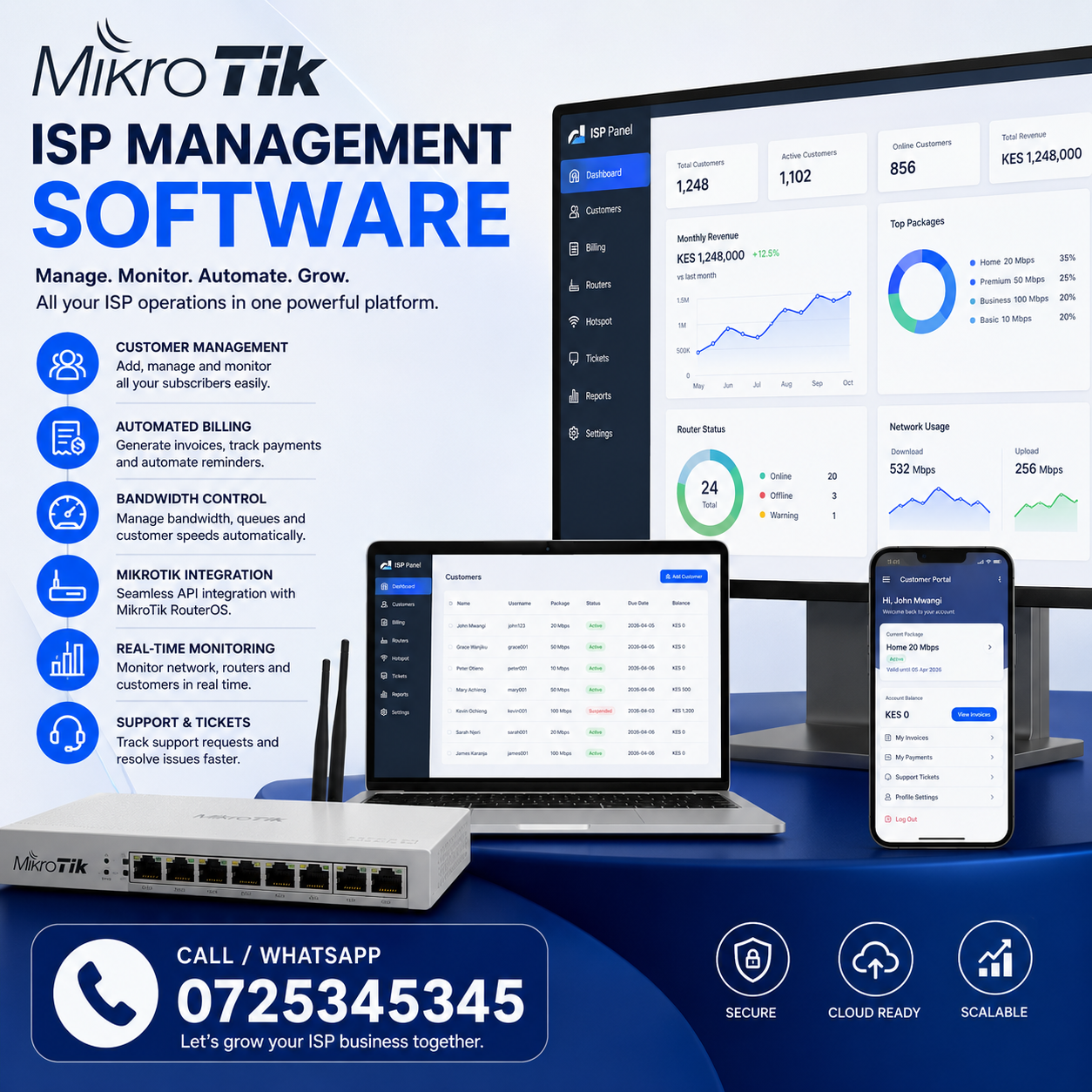
MikroTik ISP Management Software is becoming an essential solution for Internet Service Providers (ISPs), wireless internet providers (WISPs), fiber network operators, and network administrators who want to automate customer management, billing, bandwidth control, service provisioning, and network monitoring from a single platform. As the ISP industry continues to grow, manually managing subscribers, payments, and network infrastructure is no longer practical. A dedicated MikroTik ISP management software solution helps providers improve efficiency, reduce downtime, increase customer satisfaction, and scale their operations with confidence.
Whether you’re launching a new ISP or managing thousands of subscribers, choosing the right MikroTik ISP management software can significantly improve your business operations.
What Is MikroTik ISP Management Software?
MikroTik ISP Management Software is a specialized platform that integrates with MikroTik routers to automate and simplify the daily operations of an Internet Service Provider. Instead of manually configuring routers, managing subscribers, creating invoices, and monitoring network performance, the software centralizes these tasks into one intuitive dashboard.
Modern ISP management platforms connect with MikroTik RouterOS through its API, allowing administrators to perform tasks such as:
- Customer registration
- Service activation
- Automatic account suspension
- Bandwidth allocation
- Data usage monitoring
- Online payment processing
- Router management
- Customer support tracking
The result is a streamlined workflow that reduces operational costs while improving service quality.
Why Internet Service Providers Need Management Software
Running an ISP involves much more than installing routers and providing internet access. Every subscriber requires account management, billing, technical support, bandwidth allocation, and service monitoring.
Without automation, these responsibilities become overwhelming as the customer base grows.
A professional MikroTik ISP Management Software solution helps providers:
- Reduce manual work
- Improve customer experience
- Automate billing cycles
- Prevent revenue leakage
- Monitor network performance
- Detect faults quickly
- Improve staff productivity
- Scale the business efficiently
Whether serving 100 customers or 50,000 subscribers, automation becomes one of the most valuable investments an ISP can make.
Key Features of MikroTik ISP Management Software
The best MikroTik ISP management solutions include a comprehensive suite of features designed specifically for ISPs.
Subscriber Management
Managing customer information becomes simple through centralized subscriber profiles.
Each customer record may include:
- Personal information
- Installation address
- GPS location
- Service package
- Router assignment
- Payment history
- Active sessions
- Support tickets
- Account status
This allows technicians and customer support teams to access everything they need from one interface.
Package Management
ISPs often provide multiple internet plans.
Examples include:
- 10 Mbps Home
- 20 Mbps Premium
- 50 Mbps Business
- 100 Mbps Enterprise
- Unlimited Fiber
- Dedicated Internet
Using MikroTik ISP Management Software, administrators can easily create, modify, or retire service packages without manually updating each router.
User Authentication
Subscriber authentication ensures only authorized customers access the network.
Common authentication methods include:
- PPPoE
- Hotspot
- Static IP
- DHCP
- Radius Authentication
Integration with MikroTik routers allows authentication rules to be applied automatically whenever a customer connects.
Customer Management Made Easy
Customer management is one of the biggest challenges facing ISPs.
A centralized dashboard allows providers to:
- Register new customers
- Assign installation teams
- Track installation progress
- Upload customer documents
- Generate contracts
- Store payment history
- Manage support requests
- Monitor account status
With all information stored digitally, staff spend less time searching for records and more time serving customers.
Automated Billing and Payment Collection
Billing is one of the most important components of MikroTik ISP Management Software.
Modern platforms automate nearly every aspect of revenue collection.
Key billing features include:
Automatic Invoice Generation
Invoices can be generated:
- Daily
- Weekly
- Monthly
- Quarterly
- Annually
This eliminates manual invoice preparation.
Payment Tracking
The software records every payment received.
Administrators can instantly see:
- Paid accounts
- Outstanding balances
- Overdue invoices
- Customer credit
- Payment history
Automatic Service Suspension
One of the biggest advantages of automation is service control.
If a customer fails to pay on time, the software can:
- Suspend internet access
- Send reminder notifications
- Restore service automatically after payment
This minimizes manual intervention while improving cash flow.
Multiple Payment Methods
Modern ISP software often supports integration with:
- Mobile money
- Credit cards
- Bank transfers
- Online payment gateways
- Digital wallets
Automatic payment reconciliation reduces accounting errors.
Bandwidth Management and Traffic Control
Bandwidth allocation is critical for maintaining network performance.
Using MikroTik ISP Management Software, administrators can automatically assign bandwidth profiles based on customer subscriptions.
Examples:
| Package | Speed |
|---|---|
| Home Basic | 10 Mbps |
| Home Plus | 20 Mbps |
| Business | 50 Mbps |
| Premium | 100 Mbps |
| Enterprise | 1 Gbps |
Whenever a customer upgrades their package, the router configuration updates automatically.
No manual router login is required.
Fair Usage Policies
The software can enforce:
- Data limits
- Speed limits
- Peak-hour policies
- Night data packages
- Bandwidth prioritization
This helps maintain a balanced network experience for all subscribers.
Router Management and Automation
Managing dozens or hundreds of MikroTik routers manually is time-consuming.
Centralized router management allows administrators to:
- Add routers
- Monitor uptime
- Backup configurations
- Restore configurations
- Restart routers remotely
- Push configuration updates
- Monitor CPU usage
- Monitor RAM usage
- Track interface statistics
Automation significantly reduces maintenance time.
Network Monitoring and Performance Tracking
Real-time monitoring is essential for maintaining reliable internet services.
Advanced MikroTik ISP Management Software provides live dashboards displaying:
- Router status
- Active subscribers
- Offline customers
- CPU utilization
- Memory usage
- Network throughput
- Interface utilization
- Packet loss
- Latency
- System alerts
These insights help technicians detect problems before customers notice them.
Historical reporting also enables capacity planning and performance analysis.
How MikroTik Integration Works
Most ISP management platforms communicate directly with MikroTik RouterOS using the RouterOS API.
This integration enables the software to:
- Create PPPoE users
- Delete subscribers
- Change passwords
- Assign queues
- Configure simple queues
- Manage firewall rules
- Update address lists
- Monitor interfaces
- Retrieve usage statistics
- Restart services
Everything happens automatically from the management dashboard, eliminating repetitive manual tasks.
Benefits of Using MikroTik ISP Management Software
Implementing a dedicated management platform offers significant advantages:
- Faster customer onboarding
- Reduced operational costs
- Automated billing
- Improved payment collection
- Better customer satisfaction
- Centralized management
- Enhanced network visibility
- Reduced human error
- Improved scalability
- Increased technician productivity
- Better reporting and analytics
- Stronger security through centralized access control
As ISPs continue to grow, automation becomes essential for maintaining service quality while keeping operational costs under control.
Advanced PPPoE Management for Internet Service Providers
PPPoE (Point-to-Point Protocol over Ethernet) remains one of the most widely used authentication methods for ISPs. A powerful MikroTik ISP Management Software solution simplifies the deployment, monitoring, and management of PPPoE subscribers while reducing the workload for network administrators.
Instead of manually creating user accounts on individual routers, administrators can provision subscribers directly from the software dashboard. Once a customer is added, the system automatically creates the PPPoE account, assigns the correct bandwidth profile, and activates the internet service.
This automation provides several advantages:
- Instant customer activation
- Centralized PPPoE account management
- Reduced configuration errors
- Faster service delivery
- Simplified password management
- Automatic account suspension and reactivation
- Better user authentication
For growing ISPs, automated PPPoE management can save hundreds of administrative hours each year.
RADIUS Authentication Integration
Most medium and large ISPs rely on RADIUS authentication for centralized subscriber management.
A modern MikroTik ISP Management Software platform integrates seamlessly with RADIUS servers, allowing administrators to manage authentication, authorization, and accounting (AAA) from a single location.
Benefits of RADIUS integration include:
- Centralized authentication
- Secure subscriber login
- Usage accounting
- Session monitoring
- Roaming support
- Centralized policy management
- Easy bandwidth enforcement
By integrating MikroTik routers with a RADIUS server, ISPs gain greater control over customer access while improving network security.
Customer Relationship Management (CRM)
Managing customer relationships is just as important as managing the network itself.
A built-in CRM allows customer support teams to access subscriber information instantly.
Customer profiles typically include:
- Full name
- Phone number
- Email address
- Installation address
- GPS location
- Service package
- Payment history
- Account balance
- Router information
- Installation notes
- Technical support history
Having all customer information in one place enables faster issue resolution and better customer service.
Installation Workflow Management
Installing new internet customers involves multiple steps.
With MikroTik ISP Management Software, providers can automate the entire installation process.
Typical workflow:
- Receive customer application.
- Verify service availability.
- Schedule installation.
- Assign technician.
- Record installation status.
- Activate subscriber.
- Generate first invoice.
- Send welcome notification.
Managers can monitor installation progress in real time and identify delays before they affect customer satisfaction.
Automated SMS and Email Notifications
Communication plays a crucial role in customer retention.
Modern ISP software automatically sends notifications for important events.
Examples include:
- Welcome messages
- Payment confirmations
- Invoice reminders
- Service suspension notices
- Internet restoration alerts
- Maintenance announcements
- Promotional offers
- Service upgrade recommendations
Automated communication reduces customer confusion while improving professionalism.
Real-Time Network Monitoring
A successful ISP depends on a stable and reliable network.
The best MikroTik ISP Management Software continuously monitors network devices and subscriber connections.
Administrators can view:
- Online routers
- Offline routers
- Active customers
- Offline subscribers
- Network throughput
- CPU utilization
- RAM usage
- Temperature (supported devices)
- Interface traffic
- Signal strength
- Uptime statistics
Instead of waiting for customers to report outages, technicians receive alerts immediately when problems occur.
Fault Detection and Troubleshooting
Network issues can affect hundreds of customers within minutes.
Advanced monitoring tools help identify the root cause quickly.
Common issues detected include:
- Router failure
- Fiber cuts
- Power outages
- High CPU utilization
- Bandwidth congestion
- Authentication failures
- PPPoE disconnections
- Network loops
- Interface errors
Early detection minimizes downtime and protects customer satisfaction.
Automated Bandwidth Provisioning
Manual bandwidth allocation is no longer practical for growing ISPs.
Using MikroTik ISP Management Software, bandwidth profiles can be assigned automatically whenever a customer subscribes or upgrades.
Example packages:
| Package | Download | Upload |
|---|---|---|
| Starter | 10 Mbps | 10 Mbps |
| Bronze | 20 Mbps | 20 Mbps |
| Silver | 50 Mbps | 50 Mbps |
| Gold | 100 Mbps | 100 Mbps |
| Platinum | 300 Mbps | 300 Mbps |
Changing a customer’s package requires only a few clicks, with the router configuration updated automatically.
Usage Reporting and Analytics
Data-driven decision-making helps ISPs optimize operations and improve profitability.
Reporting dashboards provide insights into:
- Monthly revenue
- Active subscribers
- New installations
- Churn rate
- Customer growth
- Router performance
- Bandwidth utilization
- Outstanding invoices
- Technician productivity
- Service availability
These reports enable managers to identify trends and plan for future expansion.
Multi-Branch ISP Management
Many providers operate across multiple towns, counties, or regions.
A centralized MikroTik ISP Management Software platform allows all branches to be managed from one dashboard.
Administrators can monitor:
- Regional subscriber counts
- Branch revenue
- Router inventory
- Technician assignments
- Service performance
- Network health
- Customer support activities
This centralized approach simplifies operations while ensuring consistency across locations.
Inventory and Equipment Management
ISPs manage a wide range of networking equipment, including routers, switches, antennas, fiber accessories, and customer premises equipment (CPE).
An inventory management module helps track:
- MikroTik routers
- Wireless radios
- Fiber equipment
- Network switches
- ONU devices
- Power supplies
- Installation materials
- Customer routers
- Access points
- Spare parts
Tracking equipment reduces losses, improves accountability, and ensures technicians have the resources needed for installations and maintenance.
Security Features
Security is a critical component of every ISP.
A comprehensive MikroTik ISP Management Software solution should provide features that help protect customer data and network infrastructure.
Important security capabilities include:
- Role-based user permissions
- Two-factor authentication (2FA)
- Secure API communication
- Encrypted passwords
- Activity logs
- Login history
- Backup scheduling
- Audit trails
- Firewall integration
- Session management
These features reduce the risk of unauthorized access while maintaining compliance with organizational security policies.