
School Internet Billing: The Complete Guide to Managing Campus WiFi Efficiently
Reliable internet connectivity has become an essential part of modern education. From online learning platforms and digital libraries to virtual classrooms and administrative systems, schools increasingly depend on fast and secure internet access. However, providing internet services to hundreds or thousands of students, teachers, and visitors can become difficult without an efficient billing and access management system.
Many institutions still rely on manual processes to activate internet accounts, confirm payments, and manage bandwidth. These approaches consume valuable administrative time, create opportunities for billing errors, delay user activation, and make it difficult to monitor network usage. As educational institutions grow, these challenges become even more significant.
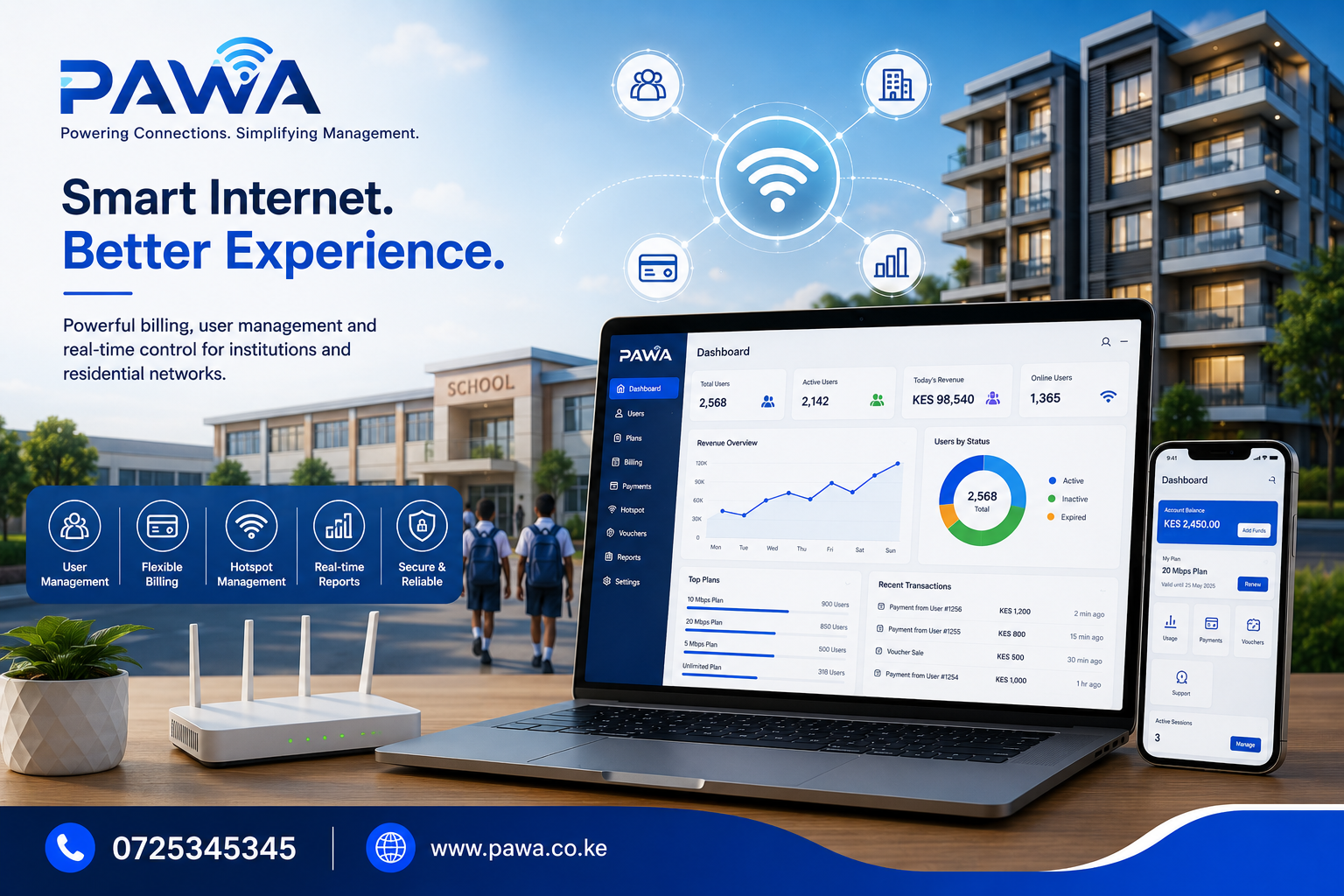
School Internet Billing software provides an automated solution that enables schools, colleges, universities, training institutions, and campus internet providers to manage internet subscriptions, process payments, control bandwidth, authenticate users, and monitor network activity from one centralized dashboard. Modern platforms also support M-Pesa integration, allowing users to pay and receive internet access almost instantly. (pawa.co.ke)
At Pawa, institutions can automate internet billing while managing packages, hotspot users, vouchers, router records, payment collection, and reporting from a single cloud-based platform designed for organizations selling internet access. (pawa.co.ke)
What is School Internet Billing?
School Internet Billing is a software solution that automates how educational institutions provide and manage internet access. Instead of manually creating accounts or approving every payment, the system authenticates users, activates internet packages after successful payment, monitors usage, and suspends expired accounts automatically.
The software combines several important functions, including:
- Student and staff account management
- Internet package management
- Automated billing
- M-Pesa payment integration
- Voucher management
- Bandwidth allocation
- User authentication
- Internet usage monitoring
- Router integration
- Financial reporting
Everything is managed from a single dashboard, reducing administrative work while improving service delivery. (pawa.co.ke)
Why Schools Need School Internet Billing Software
Educational institutions serve diverse users with different internet requirements.
For example:
- Students need affordable internet packages.
- Teachers require uninterrupted access for teaching.
- Administrative staff rely on secure connectivity.
- Visitors may require temporary internet vouchers.
- Hostels often need separate internet plans.
Managing these users manually quickly becomes inefficient.
A dedicated School Internet Billing system automates these tasks while giving administrators full control over internet access.
Common challenges include:
| Challenge | Automated Solution |
|---|---|
| Manual payment confirmation | Automatic payment verification |
| Delayed internet activation | Instant account activation |
| Shared passwords | Individual authenticated accounts |
| Unequal bandwidth usage | Bandwidth allocation policies |
| Poor reporting | Real-time dashboards |
| Revenue leakage | Automated billing and reconciliation |
| User management difficulties | Centralized user administration |
| Manual renewals | Automatic subscription management |
Key Features of School Internet Billing
A modern billing solution should support every aspect of campus internet management.
Automated User Management
Managing hundreds or thousands of users manually is time-consuming.
The software allows administrators to:
- Create student accounts
- Register staff
- Manage visitor access
- Suspend inactive users
- Renew subscriptions
- Assign internet packages
- Reset passwords
- Track account status
This significantly reduces administrative workload.
Flexible Internet Package Management
Different users often require different internet plans.
Administrators can create packages such as:
- Hourly access
- Daily internet
- Weekly subscriptions
- Monthly packages
- Semester packages
- Annual subscriptions
- Unlimited access
- Department-specific plans
Flexible package creation allows institutions to meet different user needs while optimizing revenue. (pawa.co.ke)
M-Pesa Payment Integration
One of the biggest advantages of modern School Internet Billing software is automated payment collection.
Students can:
- Pay via M-Pesa
- Receive instant confirmation
- Gain immediate internet access
- Renew subscriptions without visiting the administration office
This minimizes queues and reduces manual payment reconciliation. Pawa supports STK Push, payment callbacks, and automatic activation after successful payment. (pawa.co.ke)
Bandwidth Management
Not every user should consume unlimited bandwidth.
The system allows administrators to:
- Allocate speeds by package
- Prioritize academic services
- Limit downloads where necessary
- Reduce network congestion
- Maintain fair usage policies
Bandwidth management improves the overall internet experience for all users. (pawa.co.ke)
Hotspot and Router Integration
Modern school internet environments commonly rely on MikroTik hotspot infrastructure.
A billing platform integrates with compatible routers to:
- Authenticate users
- Activate internet access
- Disconnect expired users
- Monitor active sessions
- Track router health
- Manage multiple campuses
This automation removes the need for manual account provisioning. (pawa.co.ke)
Voucher Management
Schools may also provide temporary internet access for:
- Visitors
- Parents
- Conference attendees
- Examination officials
- External trainers
Voucher management enables administrators to generate secure access codes with predefined validity periods.
Benefits of School Internet Billing
Implementing School Internet Billing delivers advantages for both administrators and users.
Faster Payment Processing
Students no longer need to wait for manual approval after making payments.
Once payment is confirmed, internet access can be activated automatically, improving convenience and reducing support requests. (pawa.co.ke)
Reduced Administrative Work
Automation minimizes repetitive tasks such as:
- Account creation
- Payment verification
- Subscription renewal
- Internet activation
- User suspension
- Revenue reporting
IT teams can focus on maintaining network performance instead of handling routine billing tasks.
Better Revenue Management
Every payment is recorded automatically, allowing administrators to monitor:
- Revenue collected
- Active subscriptions
- Expired accounts
- Outstanding renewals
- Package popularity
These insights improve financial planning and operational transparency.
Improved User Experience
Students and staff benefit from:
- Instant internet activation
- Simple self-service renewals
- Reliable connectivity
- Flexible internet packages
- Faster support
A positive user experience encourages adoption and reduces complaints.
Enhanced Network Control
Administrators maintain complete visibility over:
- Connected users
- Internet consumption
- Active sessions
- Package utilization
- Router performance
- Network availability
This improves security and supports better capacity planning.
How School Internet Billing Works
A typical workflow is straightforward and efficient:
- A student selects an internet package.
- The system generates a payment request.
- Payment is completed through M-Pesa.
- Payment is verified automatically.
- Internet access is activated instantly.
- Usage is monitored throughout the subscription period.
- Access expires automatically when the package ends unless renewed.
- Administrators can monitor all activity through a centralized dashboard. (pawa.co.ke)
Why Choose Pawa for School Internet Billing?
Pawa is designed to simplify internet billing for organizations that provide WiFi and ISP services. Schools, colleges, universities, and campus operators can use one platform to manage packages, users, vouchers, routers, payments, and reporting. Features include M-Pesa collections, customer expiry tracking, voucher sales, router monitoring, hotspot deployment, and business visibility from a single dashboard. (pawa.co.ke)
With Pawa, educational institutions can:
- Automate student internet subscriptions.
- Accept M-Pesa payments with automatic activation.
- Manage hotspot and router operations.
- Control bandwidth and user access.
- Generate vouchers for temporary users.
- Monitor revenue and active subscriptions.
- Support multiple campuses from one platform.
- Scale internet services as student populations grow.
Implementing School Internet Billing Successfully
Deploying School Internet Billing software is more than simply installing a billing application. It involves creating an efficient internet management ecosystem that delivers reliable connectivity, simplifies administration, improves revenue collection, and enhances the digital learning experience for students and staff.
Whether your institution serves a few hundred students or several thousand users across multiple campuses, proper implementation ensures the system operates efficiently from the first day.
Assess Your Institution’s Internet Requirements
Before deployment, evaluate your existing network infrastructure and identify your institution’s specific requirements.
Questions to consider include:
- How many active internet users do you support daily?
- Are students, teachers, and administrators on separate networks?
- Do hostels require independent internet packages?
- Which payment methods are currently accepted?
- What routers and networking equipment are already installed?
- How much bandwidth is available?
- What reporting information does management require?
Answering these questions helps configure the software to meet your institution’s operational needs.
Configure Internet Packages
Educational institutions rarely have identical internet requirements for every user.
A flexible School Internet Billing system allows administrators to create customized packages based on:
- Student subscriptions
- Staff internet access
- Hostel residents
- Library users
- Computer laboratory access
- Guest internet
- Event WiFi
- Department-specific requirements
Packages may also differ according to:
- Internet speed
- Data limits
- Subscription duration
- Device limitations
- Access times
- Bandwidth allocation
This flexibility allows institutions to maximize network performance while providing fair access.
Integrate Payment Systems
Payment automation significantly improves operational efficiency.
With integrated M-Pesa payments, users can:
- Purchase internet instantly
- Renew subscriptions without visiting administration offices
- Receive automatic payment confirmations
- Gain immediate internet access after payment
Finance departments benefit from:
- Automatic reconciliation
- Accurate payment records
- Reduced cash handling
- Faster revenue reporting
- Improved accountability
Automation eliminates manual payment verification and significantly reduces administrative workload.
Train ICT and Administrative Staff
Successful implementation depends on proper user training.
ICT administrators should understand how to:
- Configure internet packages
- Manage user accounts
- Monitor routers
- View usage reports
- Troubleshoot connectivity issues
- Generate vouchers
- Suspend and reactivate accounts
Administrative teams should learn how to:
- View customer payments
- Generate financial reports
- Monitor subscription status
- Assist users
- Handle account inquiries
Well-trained staff ensure the system operates efficiently while providing excellent user support.
Integrations That Improve School Internet Billing
Modern educational institutions rely on multiple digital systems working together.
The right School Internet Billing platform integrates seamlessly with existing infrastructure.
MikroTik Router Integration
Many schools use MikroTik routers because of their flexibility and reliability.
Integration allows administrators to:
- Authenticate users automatically
- Disconnect expired subscriptions
- Apply bandwidth limits
- Monitor connected devices
- Control hotspot access
- View router performance
This creates a fully automated internet management environment.
M-Pesa Integration
Mobile money remains the preferred payment method for many students and parents.
Integrated M-Pesa functionality enables:
- STK Push payments
- Pay Bill collections
- Automatic payment verification
- Instant service activation
- Digital payment records
This improves convenience while reducing manual processing.
SMS Notifications
Automated SMS messages improve communication by notifying users about:
- Successful payments
- Subscription activation
- Expiry reminders
- Internet package renewals
- Temporary service interruptions
These notifications reduce support requests and keep users informed.
Email Notifications
Institutions can also automate email communication for:
- Payment confirmations
- Monthly statements
- Internet usage summaries
- Administrative announcements
- Account credentials
Email communication complements SMS while providing more detailed information.
Managing Multi-Campus Internet Networks
Many universities and educational organizations operate multiple campuses.
A cloud-based School Internet Billing solution allows centralized management regardless of location.
Administrators can:
- Monitor every campus
- Compare internet usage
- Track revenue by campus
- Standardize pricing
- Manage user accounts centrally
- View consolidated reports
- Monitor router status
- Transfer configurations between locations
Centralized management simplifies administration while maintaining consistency across all campuses.
Security Features of School Internet Billing
Protecting student information and network infrastructure is essential.
Modern platforms provide multiple security features.
Secure User Authentication
Each user receives unique login credentials, reducing unauthorized access and improving accountability.
Authentication methods may include:
- Username and password
- Voucher codes
- Device authentication
- User profiles
- Time-based access
This ensures only authorized users access institutional internet resources.
Role-Based Permissions
Different users require different levels of access.
Permission controls allow institutions to assign roles such as:
- ICT Administrator
- Finance Officer
- School Administrator
- Customer Support
- Network Technician
Each role accesses only the features necessary for their responsibilities.
Automatic Backups
Cloud systems automatically protect important information, including:
- Payment records
- User accounts
- Internet packages
- Financial reports
- Router configurations
- Activity logs
Automatic backups minimize the risk of data loss.
Activity Logs
Every administrative action can be recorded.
This provides visibility into:
- User creation
- Package changes
- Payment updates
- Login attempts
- System configuration changes
Activity logs improve accountability and simplify auditing.
Real-World Applications
Primary Schools
Primary schools often provide controlled internet access for teachers, administrative staff, and computer laboratories while limiting unnecessary usage.
Secondary Schools
Secondary schools use School Internet Billing to manage:
- Student hostel internet
- Teacher connectivity
- Examination access
- Digital learning platforms
- Visitor internet
Universities
Universities require advanced functionality for:
- Thousands of concurrent users
- Multiple faculties
- Campus-wide WiFi
- Research departments
- Student hostels
- Visitor management
- Conference internet
Cloud-based billing software simplifies these complex environments.
Colleges and Technical Institutions
Training institutions benefit from:
- Flexible subscriptions
- Student self-service payments
- Laboratory internet management
- Financial reporting
- Automated renewals
Boarding Schools
Boarding schools can provide students with structured internet packages based on:
- Daily limits
- Weekly subscriptions
- Monthly plans
- Academic calendars
This encourages responsible internet usage while generating sustainable revenue.
Best Practices for School Internet Billing
Institutions achieve the best results by following proven operational practices.
Recommended best practices include:
- Review internet usage reports regularly.
- Update internet packages periodically.
- Monitor router performance daily.
- Encourage online payments.
- Send subscription renewal reminders.
- Maintain accurate user records.
- Train ICT staff continuously.
- Review bandwidth allocation every term.
- Perform regular system updates.
- Monitor revenue trends monthly.
Consistent monitoring helps improve service quality while maximizing operational efficiency.
Common Challenges and How to Overcome Them
Payment Delays
Automated payment verification eliminates the need for manual confirmation.
Network Congestion
Bandwidth management distributes available internet fairly among users.
Forgotten Passwords
Self-service password reset options reduce ICT support requests.
Revenue Leakage
Automatic billing records ensure every payment is properly captured and reconciled.
Manual Administration
Automation significantly reduces repetitive administrative work while improving accuracy.
Frequently Asked Questions
What is School Internet Billing?
School Internet Billing is software that automates internet subscriptions, payment processing, user authentication, bandwidth management, and reporting for educational institutions.
Can students pay using M-Pesa?
Yes. Modern platforms integrate with M-Pesa, allowing students to purchase or renew internet packages quickly, with automatic activation after successful payment.
Is the software suitable for universities?
Yes. It is designed to support institutions of all sizes, including universities with multiple campuses and thousands of users.
Can different internet packages be created?
Yes. Administrators can configure packages based on speed, duration, bandwidth limits, user groups, and pricing.
Does the system support hotspot authentication?
Yes. It integrates with hotspot environments to authenticate users before granting internet access.
Can the software manage multiple campuses?
Absolutely. Cloud-based systems allow centralized management of users, payments, routers, and reports across multiple campuses.
Is user data secure?
Yes. Modern systems use secure authentication, encrypted communications, role-based permissions, and automatic backups to protect institutional data.
Can temporary internet vouchers be issued?
Yes. Voucher management allows schools to create temporary internet access for visitors, conferences, examinations, and special events.
Future Trends in School Internet Billing
Educational technology continues to evolve, and internet billing platforms are becoming more intelligent and automated.
Emerging innovations include:
- AI-powered bandwidth optimization
- Predictive network monitoring
- Self-service student portals
- Mobile applications for subscription management
- Automated package recommendations
- Cloud-native network analytics
- Advanced cybersecurity monitoring
- Deeper integration with school management systems and learning platforms
Institutions that adopt modern billing solutions today will be better positioned to support digital learning while managing growing connectivity demands efficiently.
Why Choose Pawa for School Internet Billing?
Educational institutions need more than a billing platform—they need a complete internet management solution that is reliable, scalable, and easy to administer.
Pawa School Internet Billing enables schools, colleges, universities, and training institutions to automate internet access from payment to authentication. With support for M-Pesa integration, hotspot and router management, bandwidth control, subscription automation, voucher management, real-time reporting, and multi-campus administration, Pawa simplifies every aspect of campus internet management.
Whether your institution serves hundreds or thousands of users, Pawa helps reduce administrative workload, improve payment collection, strengthen network control, and provide a seamless internet experience for students, teachers, staff, and visitors. By replacing manual processes with intelligent automation, your institution can focus more on education while ensuring reliable and sustainable internet services.
Suggested Internal Links
To strengthen SEO and improve user navigation on pawa.co.ke, link this article to related pages and blog posts such as:
- Internet Subscription Software
- ISP Automation Software
- ISP Revenue Management
- Wireless ISP CRM
- Hotel WiFi Billing Software
- Apartment Internet Billing Software
- ISP Management Software Kenya
- MikroTik Billing Software Kenya
- PPPoE Billing System
- Managed WiFi Billing Platform
- Estate Internet Management Software
- Internet Billing System
These internal links help search engines understand your content structure, distribute page authority, and encourage visitors to explore more of Pawa’s internet billing and ISP automation solutions.